Most everyday photographers only print in monochrome (black and white) when they copy old photographs – usually as a result of scanning negatives or prints. So we’ll begin this chapter by looking at scanning options.


Inspiring ways to improve your photos
Inspiring ways to improve your photos
Most everyday photographers only print in monochrome (black and white) when they copy old photographs – usually as a result of scanning negatives or prints. So we’ll begin this chapter by looking at scanning options.

Choosing the correct paper is vital if you want high-quality, durable prints of digital photos. The paper must have exactly the right level of absorbency to accept the ink but be able to prevent the ink from spreading. General-purpose office papers are usually too absorbent and can’t reproduce either the fine detail or vibrant colours that characterise good photo prints. Most digital camera users know you must use photo quality paper if you want prints that look and feel like traditional photo prints.

If you’re in the market for a printer, it’s easy to be overwhelmed by the huge range of different types and models in the stores. To find the right model you must sift through the options on show, and find the right type of printer for your requirements. The tips in the box on this page will help you make a wise choice.

Many digital photographers complain about the high cost of inkjet media and look for ways to reduce it. Although it may be tempting to seek out solutions like cheap, third-party inks and papers, cartridge refills and other strategies that look as if they may save you money, these options are usually fraught with problems that end up costing you much more in the long run.

As a photographer, making prints not only allows you to turn your digital images into a tangible asset; it also provides you with a great way to display them. Compared to the facilities our parents had, today’s photo printers are light years ahead in convenience, economy and durability.

Digital photographs that have been taken with a high-resolution camera using the highest resolution and quality settings are too large to be emailed directly and can be inconvenient to include in PowerPoint presentations. But it’s very easy to re-size them and there are a number of ways to do so.

The first step to achieving colour consistency involves calibrating your computer monitor and creating an ICC profile that can be used by the editing software as a working RGB colour space. The objective is to make the image you see on the monitor look as close as possible to the print you make from it.

How big should you print your photos? What media should you use? These questions are important to photographers at all levels.
The issue of print permanence is an old one and a great deal of research has been done on printing technologies, all the way from silver-halide films and papers through to the latest inkjet and dye-sublimation media.
 Latest news, reviews, tips, and new ways to improve and inspire your photography.


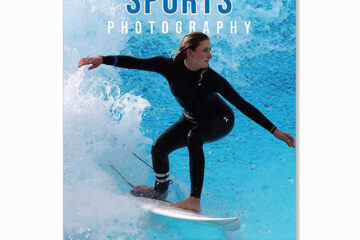
How to capture high-quality, eye-catching action shots.
See more


Ads can be a pain, but they are our only way to maintain the server. Please deactive Ads blocker to read the content. Your co-operation is highly appreciated and we hope our service can be worth it.