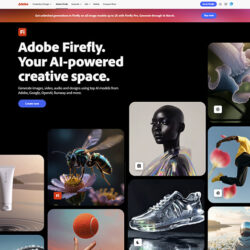
A new time-saving feature in Adobe’s Firefly video editor makes it easy for creators to upload their own b-roll (or generate new footage) and instantly turn it into a structured first cut.
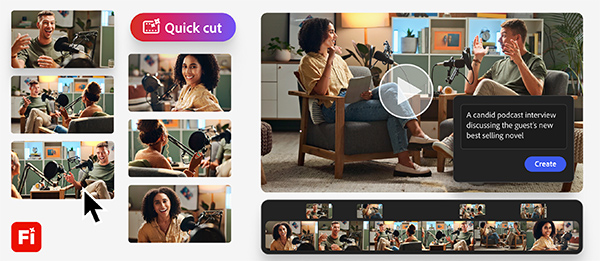
Firefly’s intuitive, multi-track video editor (shown in the graphic above) empowers you to create a timeline quickly and ensure it doesn’t remain empty for long. It also gives video creators a clear starting point they can shape and, refine to suit different stories, strategies and narratives, making it ideal for:
- Product reviewers, who can upload long takes of unboxing and testing footage, and Quick Cut will follow the flow of their narration.
- Reporters, who can use Quick Cut to identify key moments in their interviews.
- Podcasters, who can use it to sift through long-form conversations.
- Marketers, who can bring order to the chaos of event recaps, by organizing b-roll and sessions into a structured starting point.
The process is straightforward; simply upload your footage and describe in your own words what you want your video to be about. Firefly will use your description to deliver a narrative-first assembly and, if necessary, provide more guidance. You can even input a shot list or a script when you want it to be extra precise. Quick Cut’s workflow is especially powerful for experimentation: users can generate multiple directions from images and video clips and turn still images into motion with image-to-video generations, making it easy to refine pacing, swap elements, tighten the narrative and shape the final piece.
Adobe is offering a special early-bird deal to customers on Firefly Pro, Firefly Premium, 4,000-credit, 7,000-credit, and 50,000-credit plans. Sign up before March 16 and get unlimited image and Firefly video generations up to 2K resolution in the Adobe Firefly app. Click here for more information.