
In summary
A Hasselblad co-designed 3.28x optical teleconverter lens for the OPPO Find X9 Pro smartphone, which extends the 70mm native focal length to 230mm, although it has some significant downsides for serious photographers.
Full review
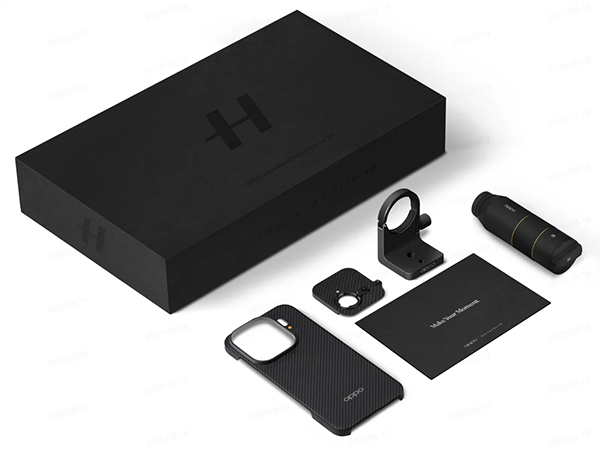
The optional Hasselblad Teleconverter Kit for the OPPO Find X9 Pro smartphone (reviewed spearately) consists of a telephoto lens with front and end caps plus a magnetic case, which fits over the front of the camera and a slide-on lens mounting ring. Designed specifically to fit onto the Find X9 Pro’s telephoto lens, it has a polycarbonate-coated, aluminium alloy barrel with glass elements and comes with a tripod adapter bracket that slides over the lens barrel. It all comes impressively packaged in a large black box.
The Hasselblad Teleconverter Kit showing the components supplied and the box they come in. (Source: OPPO.)
The lens is designed to provide an optical extender that increases the effective focal length to the equivalent of 230mm for distant subjects. It features a Kepler-type optical design with 13 all-glass spherical lens elements arranged into three groups.
The design incorporates three extra-low dispersion (ED) glass elements to minimise colour fringing and chromatic aberration. A nine-layer anti-reflective coating has been applied to the lens elements to reduce flare and ghosting and ensure it delivers sharp and clear images even in challenging light conditions.
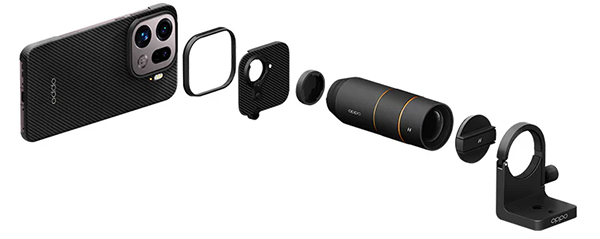
This diagram shows an ‘exploded’ view of the components in the Hasselblad Teleconverter Kit lens. (Source: OPPO.)
The overall design, based on Kepler Architecture, helps to preserve a wide aperture of f/2.1 when attached to the phone’s telephoto camera. This maximises light capture to optimise image quality at the 230mm equivalent focal length.
Who’s it For?
You would only buy this optional attachment if you really needed a longer reach than the Find X9 Pro’s built-in telephoto lens provides and accepted its downsides. Superficially, it’s a cool accessory to take on a bushwalk or when you’re off to an outdoor music event. Unfortunately, it has some significant downsides for serious photographers.
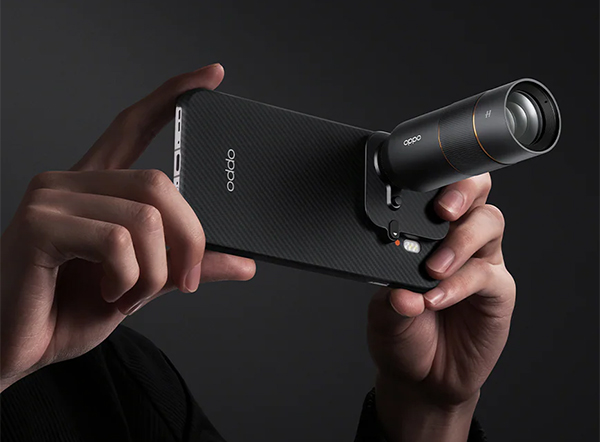
The Hasselblad Teleconverter Kit lens in use on the Find X9 Pro smartphone. (Source: OPPO.)
For starters, so far it will only fit on the Find X9 Pro, which limits the target market. It’s also quite awkward to take photos, particularly with the phone hand-held. Before you can take any pictures or record videos, you’re required to set the phone to Hasselblad Teleconverter mode, one of the additional shooting modes located in the ‘More’ sub-menu, shown below.
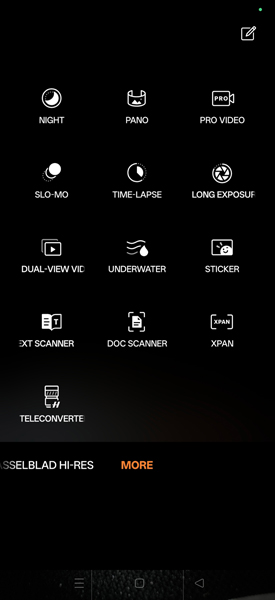
The additional, JPEG-only shooting modes provided in the Find X9 Pro.
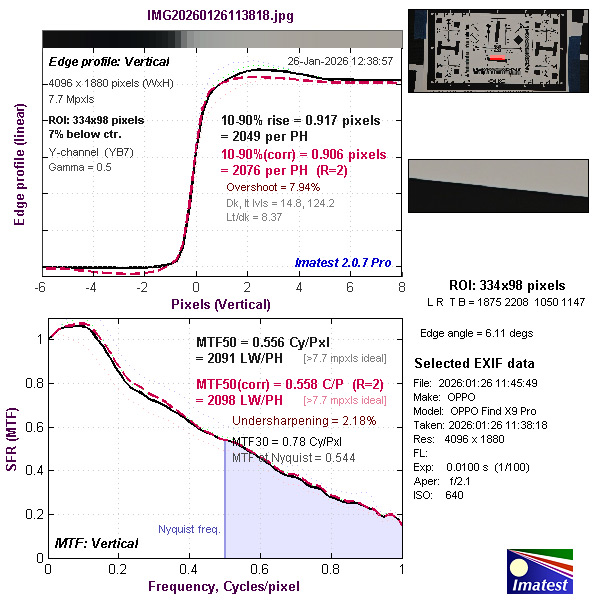
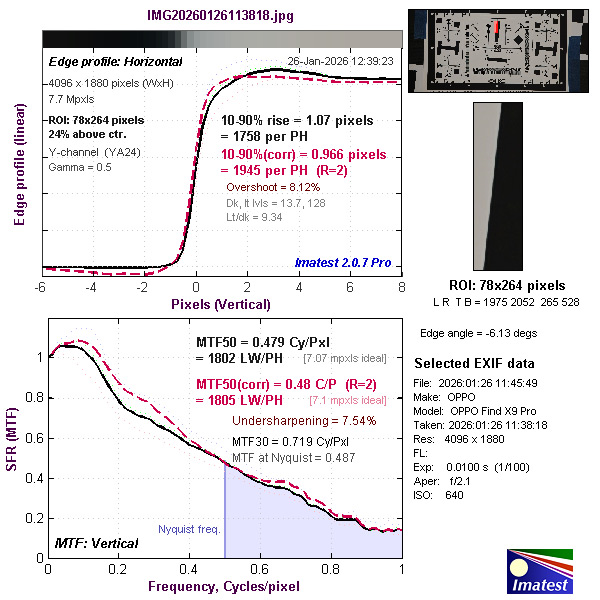
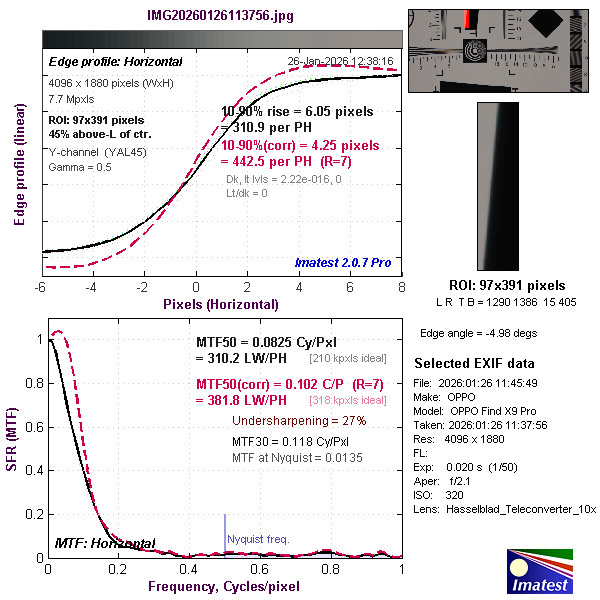
This means you’re stuck with shooting in full auto mode whenever the extender lens is fitted. You are also locked into shooting with the default standard JPEG file format, which reduces the recorded resolution to 7.7 megapixels, going by the results of our Imatest tests.
You can’t even record JPEG Max files at 30.8-megapixel resolution and, of course, raw file recording is simply not possible. If you wanted to use images for professional applications you’d be limited to on-screen sharing, which would restrict your options.
Fitting the extender lens also blacks out the other settings in the More sub-menu – although, interestingly, not if you switch to the Portrait mode in the main menu. However, in this mode, the teleconverter requires you to work with upside-down images on the phone’s screen because that’s the native projection format for the extender lens. It’s do-able – but since directions of movement are also inverted, it makes framing shots more difficult.
While you could turn the camera around and use its controls upside-down, all the labels and directions would be upside-down. Consequently, we think most potential users will consider it not worth the bother and opt to use the Hasselblad Teleconverter mode.
In this mode, if you want to record movies there’s a small video icon in the lower left corner of the screen that initiates video recording. However, once again, you’re in full auto mode, which delivers usable – although not professional-quality – FHD 1080p footage.
Finally, as a photographer accustomed to using the EVFs on regular cameras and having access to zoom lenses with optical stabilisation it is difficult to adjust to framing shots on a screen and having to use that screen for zooming – particularly when shooting hand-held. Building in optical stabilisation would be challenging, given the miniaturised components in all smartphones – and there’s no evidence to show OPPO has done this in the extender lens.
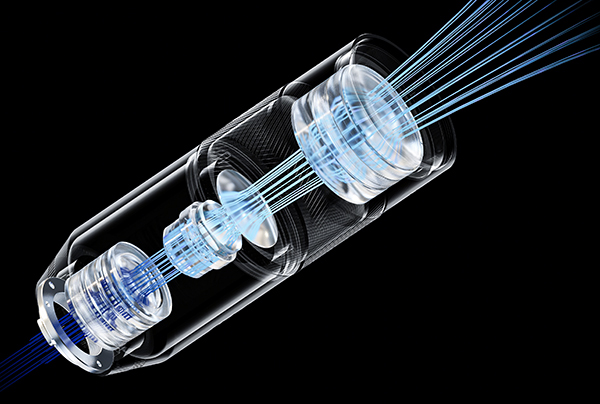
There’s nothing to show a stabilisation mechanism in this exploded view of the Hasselblad Teleconverter lens. (Source: OPPO.)
Without effective stabilisation, shooting at high magnifications is difficult enough, even if you use a monopod for vertical stabilisation. Having to frame these shots on the phone’s screen makes it much more difficult to target moving subjects – and keep them in the frame – than shooting with a modern interchangeable-lens camera.
Attaching the Teleconverter Lens
This should be fairly straightforward. The first step is to fit the supplied aramid snap-on magnetic cover over the back of the camera, which provides a base for the slide-on attachment plate for the lens, which fits over the ‘periscope’ telephoto lens.
This plate blocks off the other two cameras and can be tricky to slide into position on hot days, when the metal in the plate can expand a little. It should lock into the correct place with the sliding knob on its right-hand side, as shown in the illustration below.
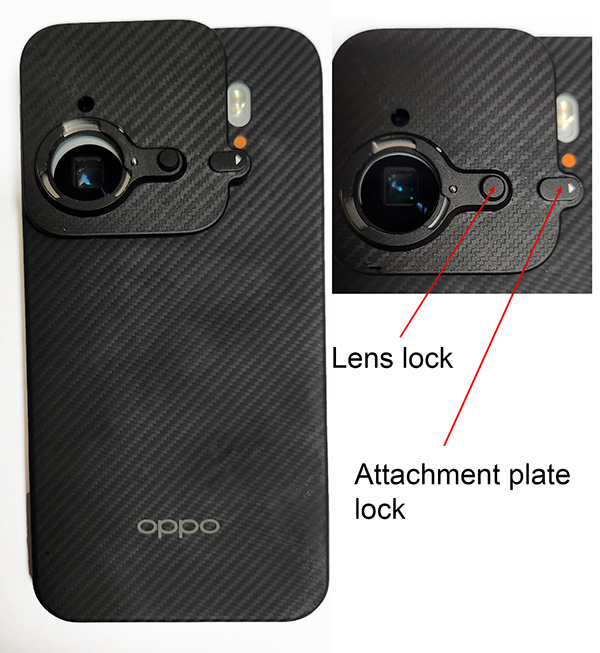
The image on the left shows the Find X9 Pro fitted with the aramid magnetic cover and attachment plate for the extender lens. It was taken on a hot day and shows how it wouldn’t slide into the correct position. The inset shows the plate correctly installed.
The mount for the telephoto extender should cover the telephoto lens almost completely. If it doesn’t, the camera will display a partly blacked-out image on its screen. The lens itself fits into the mounting, just like a regular interchangeable lens and has an alignment mark that matches with a similar mark on the attachment plate.
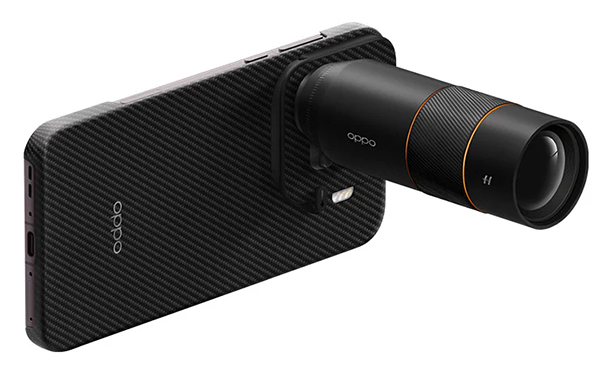
The Hasselblad Teleconverter extender fitted to the Find X9 Pro. (Source: OPPO.)
Once mounted, the telephoto lens feels quite solidly attached to the camera, even though it may appear (and feel) unbalanced. The combination weighs roughly 435 grams by the time you’ve added all the components so it’s still lighter than most cameras with long lenses.
You can add the supplied tripod collar when you want to fit the smartphone and lens to a tripod. We recommend tripod use in most situations since it’s difficult to frame shots and keep subjects in the frame with the extender in place when you’re shooting hand-held.
Performance
Because of the limitations on recording resolution imposed by the use of the Hasselblad Teleconverter mode we can only report on the resolutions we measured when shooting with the standard 7.7-megapixel JPEG file format. However, we have been able to make measurements with the default 10x (260mm) position as well as with 20x zoom (460mm) and 40x zoom (920mm).
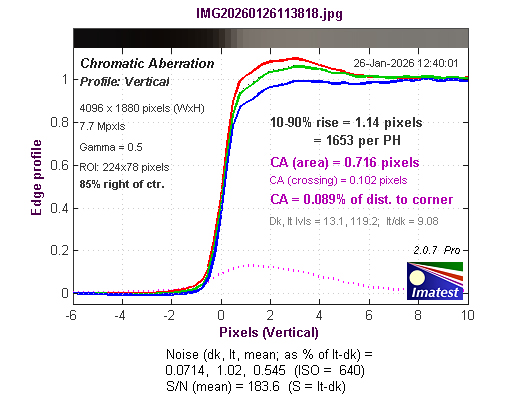
The results of our Imatest on the lens at the default 10x optical zoom are presented in the TESTS section of this review. They show fitting the extender lens has very little effect on the resolution the telephoto camera can achieve with this setting.
However, as you can see from the results presented below, zooming to 20x reduces resolution to a small degree but keeps it within the ‘expected’ levels. Zooming to 40x zoom, which applies an effective focal length of 920mm, takes a very high toll on image resolution.
Results from the default setting, which enabled us to include edge-of-frame measurements, also showed that adding the extender introduced a moderate amount of lateral chromatic aberration. This is due to the Kepler lens design, which uses two convex (positive) lenses to create an inverted, magnified image. It also causes different wavelengths of light to bend at different angles, which means chromatic aberration is always inherent in Keplerian designs.
We couldn’t test vignetting or rectilinear distortions because they are corrected automatically by the processing systems in the phone’s cameras. These default adjustments make them irrelevant from a practical viewpoint.
Autofocusing performance wasn’t quite reliable enough for this extender to be counted on by wildlife and sports photographers and birders. In part this was exacerbated by the difficulties presented by having to use the screen to frame shots when working at high magnifications. Even the default 20x zoom presented challenges when tracking moving subjects – and capturing birds in flight was impossible.
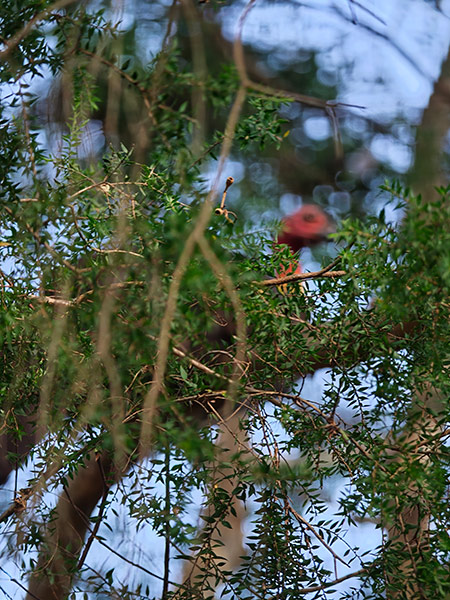
Unlike interchangeable-lens cameras, which support spot focusing that is precise enough to let you focus on subjects in bushes with foliage between the camera and subject, the Hasselblad Teleconverter extender’s focusing sensor is too large to guarantee the lens will be focused on the subject inside the AF frame. If the subject is behind foliage, it’s often out-of-focus and if it moves, the focus is immediately lost.
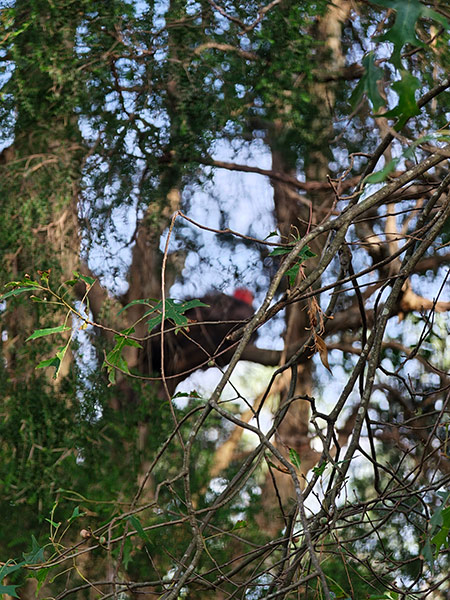
20x_zoom.
40x zoom.
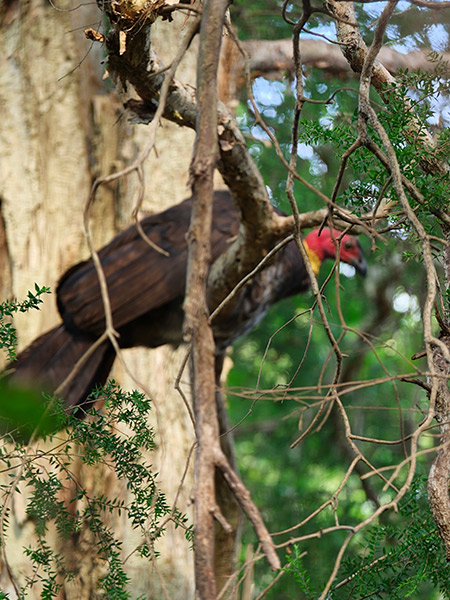
40x zoom.
Three examples showing the difficulties of focusing on small subjects when they are partly obscured by foliage.
Unlike a regular camera, you can’t set the shutter to release only when focus is achieved, although the Find X9 Pro appears to do this be default and sill capture shots whenever it finds focus. If you’re shooting hand-held, you can end up with about half your frames where the subject is unsharp – or slightly out of the frame. Zooming in exacerbates the situation.
Test shots taken with the lens showed the camera system in the Find X9 Pro was pretty good at focusing most of the time, although it also tended to over-sharpen images. This was emphasised when the telephoto extender is fitted, leading to sharpening artefacts, shown in the illustrations below. Image contrast also appeared to be boosted, perhaps as a way of making the softening caused by the lens less obvious (sadly, it doesn’t).
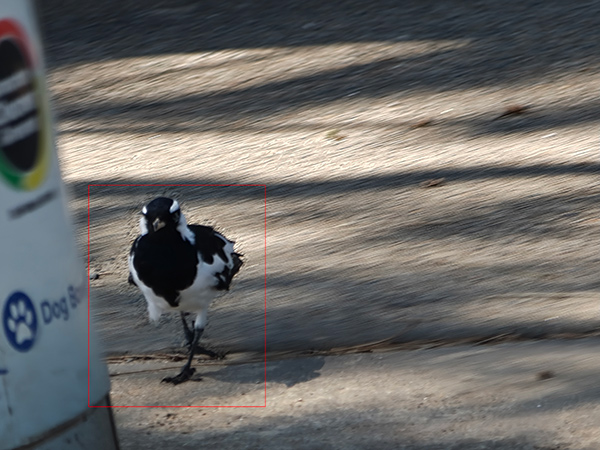
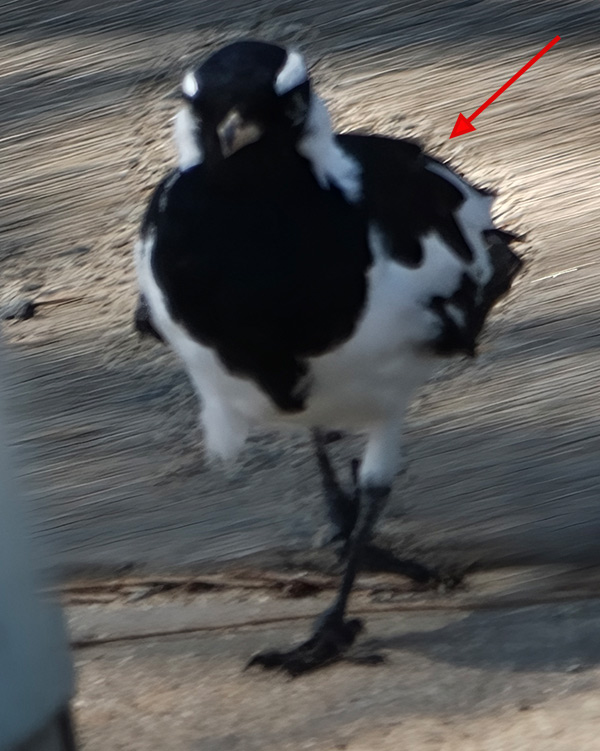
Crop from the outlined area in the image above showing sharpening artefacts.
As an experiment we took some handheld tele shots of a Tawny Frogmouth high in a tree in our backyard, using the Hasselblad Teleconverter and also using the Find X9 Pro with its maximum zoom extension (which also enabled us to shoot high-resolution JPEG and DNG.RAW files). The results reproduced below led us to conclude that we were better off without the extender than with it.
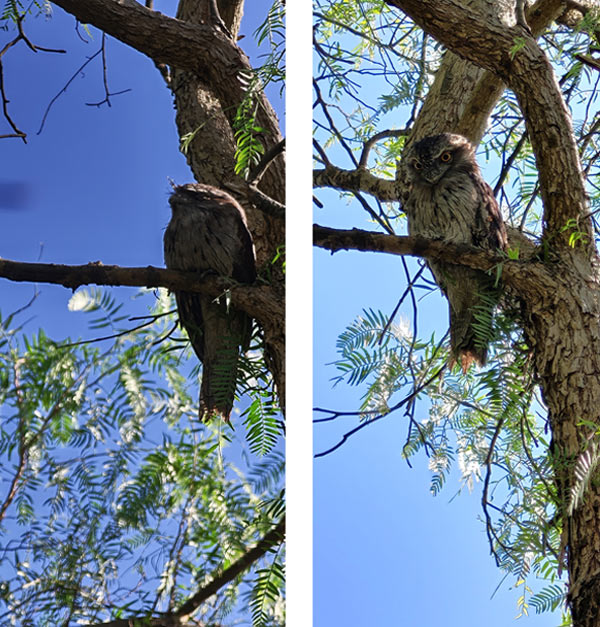
The image on the left was taken with the Hasselblad Teleconverter, while the one on the rigth was taken with the highest zoom setting on the Find X9 Pro using the JPEG Max mode.
Conclusion
Login or Register to access the full article.
SPECS
Extended focal length: Approx. 230mm
Maximum aperture: f/2.1
Lens construction: Kepler-type optical design with 13 elements in 3 groups (including 3 ED elements) plus 9-layer anti-reflective coating
Lens mounts: OPPO Find X9 Pro
Weather resistance: IP66, IP68 and IP69 ratings for water- and dust-resistance
Minimum focus: ~ 1.0 metres
Maximum magnification: 3.28x
Dimensions (Diameter x L): 118 x 114 mm
Weight: 185 grams
Construction materials: Aluminium alloy body, glass optics, PC (Polycarbonate) components
Kit includes: OPPO Find X9 Pro magnetic case, lens mounting ring, teleconverter lens, lens bracket
Distributor: OPPO Australia
TESTS
Based on JPEG files.
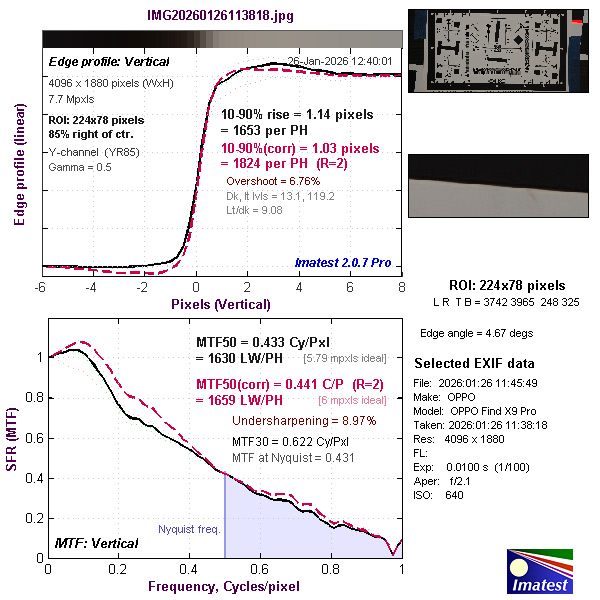
With 20x zoom
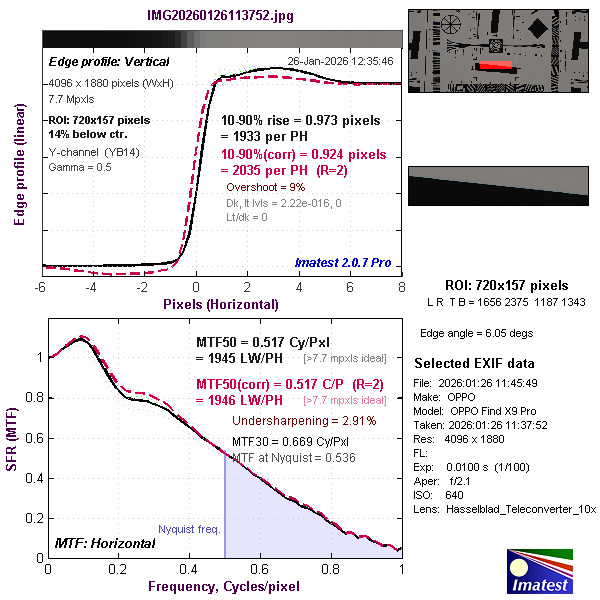
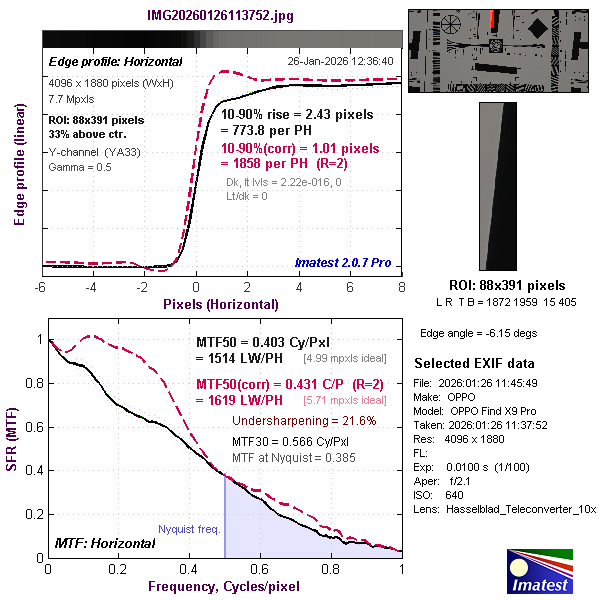
With 40x zoom.
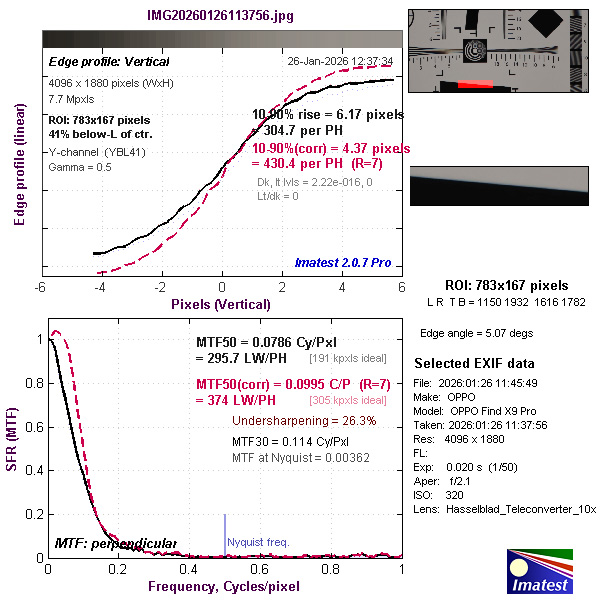
SAMPLES
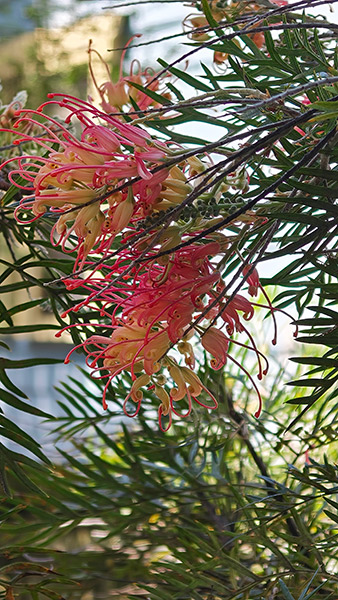
Close-up; 17mm focal length, ISO 100, 1/100 second at f/2.1.
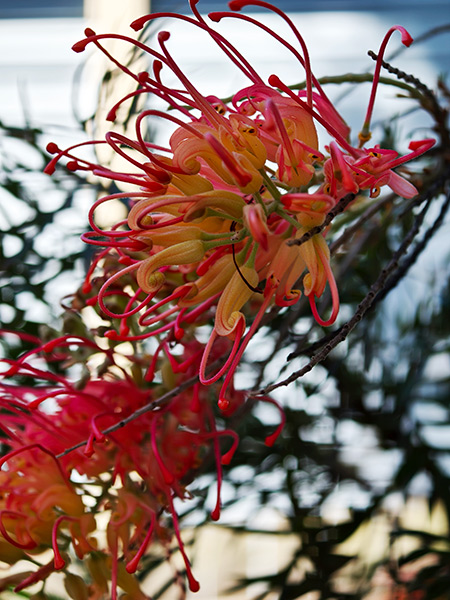
Close-up with 20x zoom; 17mm focal length, ISO 160, 1/200 second at f/2.1.
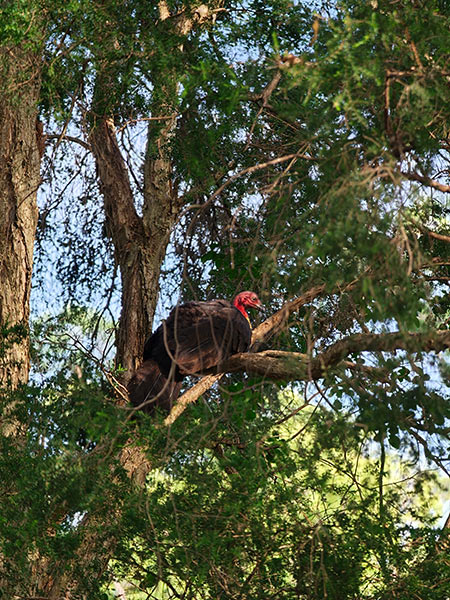
No zoom; 17mm focal length, ISO 250, 1/100 second at f/2.1.
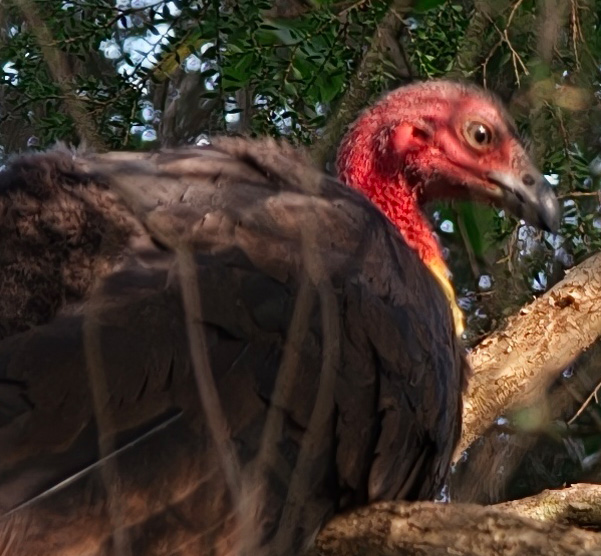
Crop from the above image magnified to 100%.

No zoom; 17mm focal length, ISO 50, 1/126 second at f/2.1.

No zoom; 17mm focal length, ISO 50, 1/267 second at f/2.1.
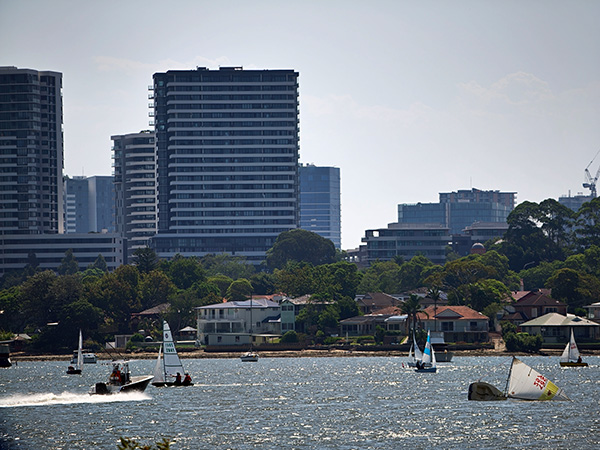
No zoom; 17mm focal length, ISO 50, 1/481 second at f/2.1.
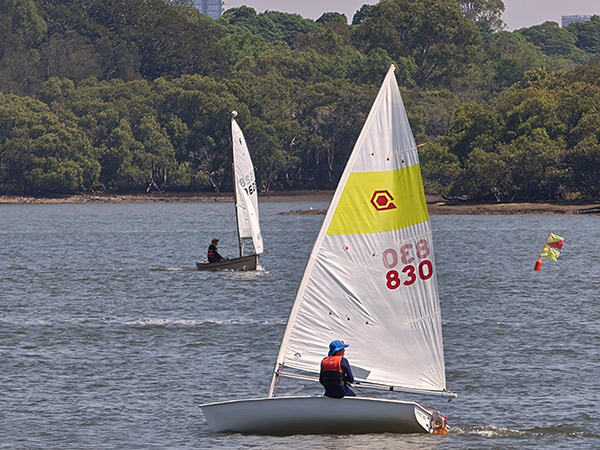
No zoom; 17mm focal length, ISO 50, 1/328 second at f/2.1.

20x zoom; 17mm focal length, ISO 50, 1/175 second at f/2.1.
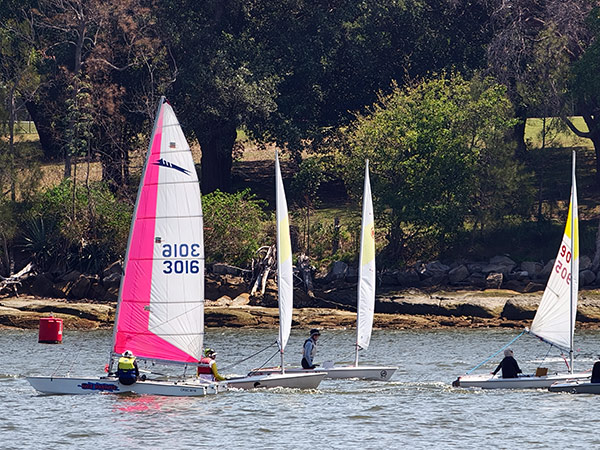
20x zoom; 17mm focal length, ISO 64, 1/200 second at f/2.1.
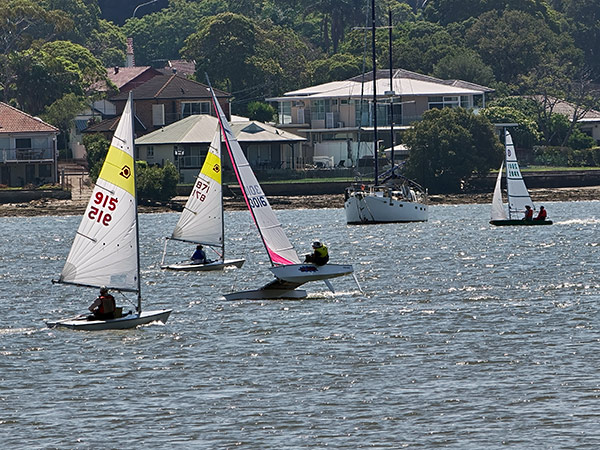
20x zoom; 17mm focal length, ISO 100, 1/248 second at f/2.1.
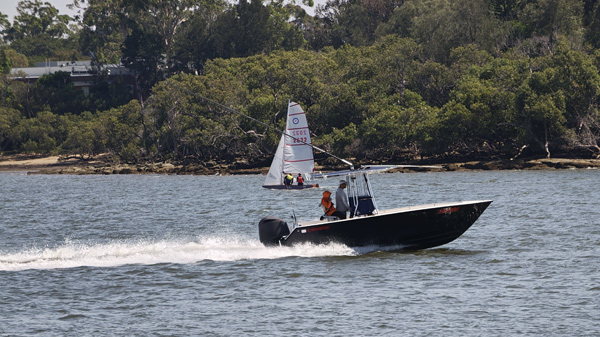
Still frame from MP4 video clip recorded at 4K 30p without additional zooming. (This was the sharpest, best-framed video we recorded.)
Rating
RRP: AU$699
- Build: 8.8
- Ease of use: 8.5
- Image quality: 8.6
- Autofocusing: 8.7