In summary
Canon’s EOS R6 Mark III combines powerful stills and advanced filmmaking functions for photo enthusiasts in a weather-resistant camera body with lots of customisable controls.
Full review
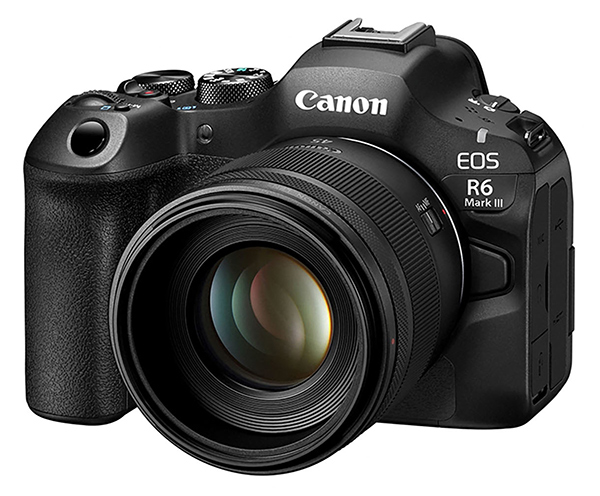
Announced on 6 November 2025, the EOS R6 III is the third-generation model in Canon’s EOS R6 enthusiast-level camera series. Equally capable of shooting stills and video, the Mark III boasts an increase in resolution from 24.2 megapixels in the Mark II to 32.5 megapixels, which suggests it has the same sensor as the video-focused Cinema EOS C50. Since it comes with same DIGIC X processor as its predecessor, rather than the C50 camera’s more video-orientated DIGIC DV7 chip it’s more like a ‘hybrid’ camera than the video-centric C50, so we’re evaluating it in the same way as we do other regular EOS models. We received the review unit with the new RF 45mm f/1.2 STM lens, which was announced at the same time as the EOS R6 III.
Angled view of the EOS R6 III with the RF 45mm f/1.2 STM lens. (Source: Canon.)
While the resolution of the R6 III places it above its predecessor it still sits below the EOS R5 Mark II when it comes to resolution, capabilities, sizing and price, as shown in the table below, which compares the three models.
| EOS R6 Mark II | EOS R6 Mark III | EOS R5 Mark II | |
| Launch date | November 2022 | November 2025 | July 2024 |
| Sensor | Full Frame FSI-CMOS | Full Frame FSI-CMOS | Full Frame BSI Stacked CMOS |
| Image Processor | DIGIC X | DIGIC X | DIGIC X + DIGIC Accelerator |
| Resolution | 24.2MP | 32.5MP | 45MP |
| Max. image size | 6000 x 4000 | 6960 x 4640 | 8192 x 5464 |
| ISO Range | 100-102400 | 50–102400 (expanded) | 100-51200 |
| Continuous Shooting Speed | Up to 40fps | Up to 40fps | Up to 30fps |
| Maximum Video Resolution | 4K 60p | 7K 60p RAW Light | 8K 60p RAW Light |
| Open Gate recording | No | Yes | No |
| Maximum Video Frame Rate | 4K 60p / Full HD 180p | 7K 60p / 4K 120p / Full HD 180 | 8K 60p / 4K 120p / Full HD 240p |
| Recording media | 2x SD UHS-II | 1x CFexpress Type B, 1x SD UHS-II | 1x CFexpress Type B, 1x SD UHS-II |
| Body dimensions | 138.4 x 98.4 x 88.4 mm | 138.4 x 98.4 x 88.4 mm | 138.5 x 101.2 x 93.5 mm |
| Weight | 670g | 699g | 746g |
| Current RRP (Body only) | $3,299 | $4,299 | $6,699 |
But how important is resolution these days when most people view their shots mainly on screens? And how many people actually make A2 or larger prints from their images, where image resolution is actually relevant?
You can comfortably print images from the EOS R6 Mark II at A3+ size with an output resolution or 300 dpi, whereas the R6 Mark III lets you go up to A2 size and the R5 Mark II can reach somewhere between A2 and A1 size. The output resolution for viewing images on screens is typically 72 dpi or 92 dpi. So even images from 20-megapixel cameras – or those with lower resolutions – can look good on most widescreen TV sets.
Who’s it For?
Like its predecessors, the EOS R6 III is enthusiast-focused, although its 32.5-megapixel resolution makes it usable for some professional work, especially in jobs requiring both stills and video capture, such as wedding and event photography, photojournalism and some sports shooting. Although it doesn’t match the more professionally-orientated EOS R5 II in resolution and capabilities, its new features (see below) have narrowed the gap to make this third generation model a more ‘serious’ camera than its predecessor.
Resolution-wise there’s not much difference between the EOS R5 II’s 45-megapixels and the 33 megapixels output of the R6 III. However, the R5 II’s stacked CMOS sensor with an additional AI-based ‘co-processor chip that supports Canon’s ‘Action Priority’ AF function means it can deliver faster read-out speeds and support the use of flash in e-shutter mode, although the R6 III can deliver faster burst speeds with the electronic shutter – 40 fps vs 30 fps with the R5 II.
Both cameras use the same LP-E6P battery and deliver similar battery capacities and both can accept the same BG-R20 battery grip. However, the R5 II can be used with the CF-R20RP fan grip, while the R6 III can’t – and the R6 III can’t access the Ethernet capability of the BG-R20P grip, which will be required by many pro shooters.
What’s New?
Aside from the new 33-megapixel CMOS sensor, which is the same as the one in the EOS C50, the most important update is the replacement of one of the dual SD card slots with a CFexpress Type B slot, which accepts larger and considerably faster cards. This has been done to support the new camera’s expanded video recording and also burst capture capabilities.
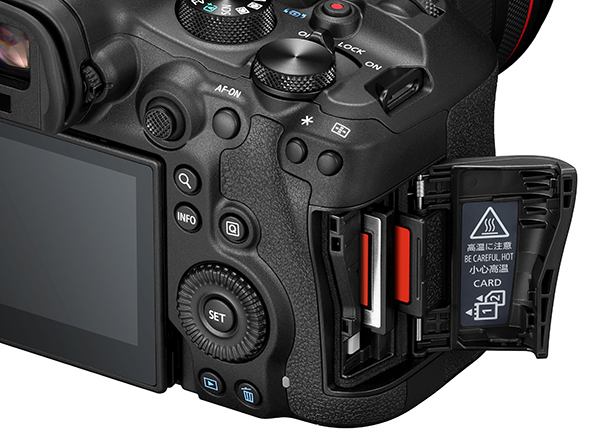
This illustration shows the new media slots arrangement in the EOS R6 III. (Source: Canon.)
The new video upgrades include support for the Canon Cinema Raw format, which is shared with Canon’s Cinema EOS models as well as the EOS R1 and EOS R5 Mark II. This enables the R6 III to record raw video internally at up to 7K/60p (50p for PAL format) and support Canon’s Cinema RAW Light recording, which creates significantly smaller files and is a preferred format for Netflix productions.
The R6 III can also record ‘open-gate’ video, which captures the full sensor area to produce 3:2 aspect ratio frames at up to 7K/30p (25p for PAL format). Vertical crops can be taken from these recordings for use on social media and users can activate two aspect markers to show the ‘safe’ area for both ratios when framing shots. Aspect ratio choices are not limited to the standard 16:9 or 9:16 ratio; users can also choose from 4:5, 4:3, 1:1 and various cinema formats.
The video menu in the new camera has been updated to make it easier to select resolution, frame rate and compression settings independently. The Register People Priority function has also been updated and now requires any head-on image of each person you want to register. (Such images can even come from photos printed in a magazine!) You can store reference images for up to 10 people in the camera.
You can also clear the magnified playback view quickly while focusing manually by simply half-pressing the shutter button, a feature not provided in some other cameras. Current camera settings can be saved to a memory card so you can load them into a different camera, the first time this has been made available in a 6-series camera.
Another ‘first’ for the series is the one-button reset to restore the camera to its original factory defaults. You’ll be asked to enter a numerical (6 figure) password when starting up the camera after this has been done.
The autofocusing system has also been updated with new algorithms. As before, the dual-pixel design of the sensor chip enables the full sensor area to be used for phase-detection AF. The sensor-shift stabilisation has been improved and now claims half a stop better performance than the previous model, with shake correction increasing from eight stops to 8.5 stops in the R6 III. Finally, Canon has replaced the R6 II’s microHDMI port with a full-sized HDMI Type A port in the R6 III and also added a dedicated red tally lamp.
Build and Ergonomics
Physically, the EOS R6 III’s body has the same dimensions as its predecessor, although its weight has increased by 29 grams, which is effectively negligible. It also has similar dust- and weather-resistant sealing on all external doors and inputs and all dials and buttons remain in the same positions.
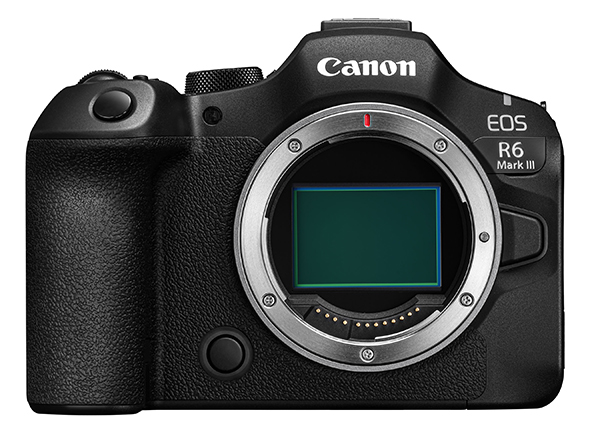
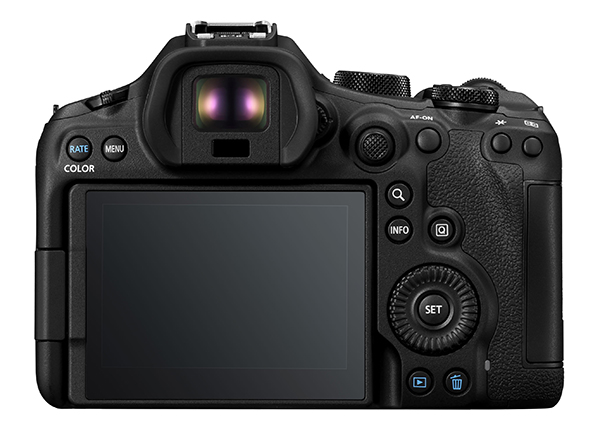
Front and rear views of the EOS R6 III camera body. (Source: Canon.)
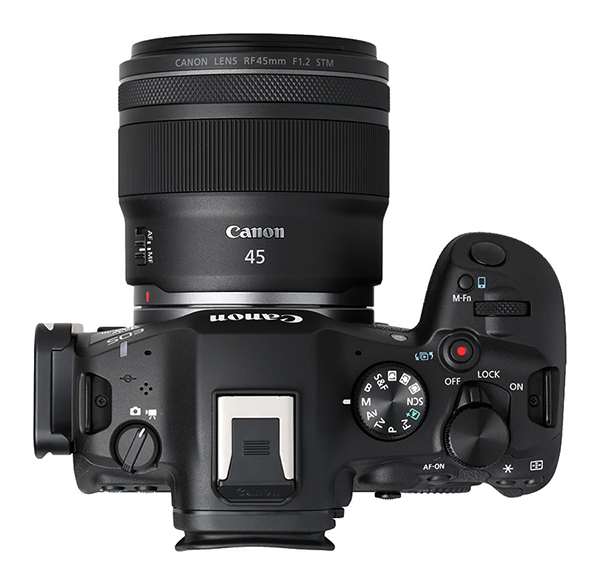
Top view of the camera fitted with the RF 45mm f/1.2 STM lens. (Source: Canon.)
The main differences between the Mark II and Mark III models are the addition of the ability to send images directly to a smartphone via the M-Fn (multi-function) button on the top panel and the ability to use the red Movie button to trigger playback of recordings as well as movie capture. Otherwise, the control layouts of both cameras are identical.
Sensor and Image Processing
A new, front-side illuminated CMOS sensor with 32.5-megapixel effective resolution replaces the 24.2-megapixel chip in the EOS 6 Mark II. It’s the same chip as was introduced in the video-focused EOS C50, which was launched in September 2025 so it’s fairly new technologically and features the dual-pixel structure Canon uses for most of its latest cameras.
This puts it on a par with the sensor in the Sony α7 IV and provides an increase of approximately 16% in linear resolution. Although the chip in the α7 IV is back-side illuminated and should be a tad more efficient, it’s been around for a few years – the α7 IV was launched in October 2021 – so there’s a slim possibility Canon may have made up the deficiency in some way, since both companies make their own sensors.
The image file formats are unchanged from the Mark II but the buffer memory capacity has been increased once again to handles the higher capacities offered in CFexpress cards. The table below shows the file sizes and buffer capacities for images captured with the default 3:2 aspect ratio using the electronic shutter at its highest frame rate (40 fps). Page 1103-1106
| Image format | Quality | Pixels | File size | Max. burst | |
| CFexpress card | SDXC card | ||||
| JPEG /HEIF | Large/Fine
Large/Standard |
6960 x 4640 | 10.4MB | 330 | 330 |
| 5.4MB | |||||
| Medium/Fine | 4800 x 3200 | 5.9MB | 330 | 330 | |
| Medium/Standard | 3.2MB | ||||
| Small 1/Fine | 3472 x 2320 | 3.7MB | 330 | 330 | |
| Small 1/Standard | 2.1MB | ||||
| Small 2 | 2400 x 1600 | 1.8 MB | 330 | 330 | |
| RAW | Raw | 6960 x 4640 | 34.3MB | 150 | 140 |
| C-Raw (1.6x crop) | 4320 x 2880 | 16.8MB | 280 | 280 | |
Buffer memory capacity has also increased. When the mechanical shutter is used, the maximum frame rate drops to approximately 12 fps but the buffer capacity increases to 1000 for JPEG and HEIF files when CFexpress and high-speed SD cards are used. The raw file capacity tops out at 400 frames for SD cards.
The sensor in the R6 III is paired with the DIGIC X processor, which has been in use since February 2020, when it launched with the EOS 1D X Mark III. This chip was the fastest of its type at the time and came with new noise reduction processing and sharpening algorithms and enabled the in-camera Digital Lens Optimiser to correct lens aberrations while recording JPEGs. In contrast, the sensor in the EOS C50 is paired with a new DIGIC DV 7 processor which supports more advanced video capabilities.
Video
The new sensor’s faster readout speeds and the replacement of one SD card with a faster CFexpress card plus use of the XF-HEVC S and XF-AVC S recording formats has enabled the R6 III to record ‘open-gate’ 7K video, which captures the full, image frame with a 3:2 aspect ratio and a frame rate of 25fps (for PAL format). This gives users greater flexibility to crop and reframe footage during post production so they can deliver output in different aspect ratios to match vertical, cinematic and square format displays.
Raw video can also be recorded internally at 7K with a frame rate up to 50 fps using Canon’s proprietary Canon Cinema Raw Light format. It has a maximum bitrate of 2010 Mbps (for PAL format), compared with 2240 Mbps for the Standard 7K RAW format, which has a top frame rate of 25 fps.
The EOS R6 III offers the following Raw video options for PAL format users:
- 7K RAW Standard (25.00p): Approx. 2240 Mbps
- 7K RAW Light (50.00p): Approx. 2010 Mbps
- 7K RAW Light (25p): Approx. 1010 Mbps
It also supports recordings in 4K and smaller resolutions using the MP4 4K DCI fine/UHD Fine file format (oversampled from 7K), with the following PAL format settings:
- XF-HEVC S YCC422 10bit LGOP at 50p / 225 Mbps or 25p / 135 Mbps
- XF-HEVC S YCC420 10bit LGOP at 50p / 150 Mbps or 25p / 100 Mbps
- XF-AVC S YCC422 10bit High Quality Intra at 50p / 1000 Mbps or 25p / 600-480 Mbps; Standard Intra at 50p / 750 Mbps or 25p / 450-360 Mbps; Light Intra at 500 Mbps or 25p / /300-240 Mbps; Standard LGOP at 25p 150 Mbps
Without oversampling, users can record MP4 4K DCI/UHD video in XF-HEVC S YCC422 10bit format with up to 100 fps frame rates or XF-AVC S YCC422 10bit with All-Intra compression at up to 50 fps. MP4 2K DCI Full HD recording is also available at up to 100 fps and Sub Movies at 4K DCI resolution, oversampled from 7K footage, can also be recorded at 50p or 25p.
You will need professional editing software like Adobe Premiere Pro, Final Cut Pro, or DaVinci Resolve to edit the 6K or 4K video files recorded by the R6 III and a computer with sufficient power to run the software. When shooting RAW Video, Canon’s DPP (Digital Photo Professional) can be used to convert files into a format like ProRes for easier editing if your computer has problems with demanding clips.
Best results – and easiest editing – will be achieved when you shoot in C-Log/Log profiles to record the maximum dynamic range and use a neutral Picture Style. Aim for a full Adobe RGB workflow if possible and consider recording proxy files or creating proxies within your video editor to ensure smooth playback of high-resolution files.
Playback and Software
All the standard playback modes are available, with the addition of in-camera processing of CR3.RAW and C-RAW files to create JPEG or HEIF copies plus HEIF to JPEG conversion. In both cases, multiple images can be selected for conversion.
Slideshow playback is supported, along with image searching by rating, date, folder, protection status or type of file. Users can also customise the playback information display to include brightness and RGB histograms, highlight alerts and AF point displays. Grid overlays can also be displayed.
Basic editing controls are available for both raw files and movies in playback mode and users can ‘grab’ individual frames from 4K video clips and save them as JPEGs. The HDMI out terminal allows the camera to be connected to a TV set to playback recorded slideshows or movie clips.
As is usual, the software bundle must be downloaded from Canon’s website (https://cam.start/canon/). Applications include EOS Utility, Digital Photo Professional, Neural network Image processing and Upscaling tools, Picture Style Editor and Canon XF Utility. Software is also available for processing RAW movie files and importing RAW movies into Avid Media Composer and Apple Final Cut Pro and for joining MP4 clips, along with VR conversion software, metadata extraction tools, and smartphone apps for transferring images between the camera and a smartphone and processing raw files on a smart device.
Performance
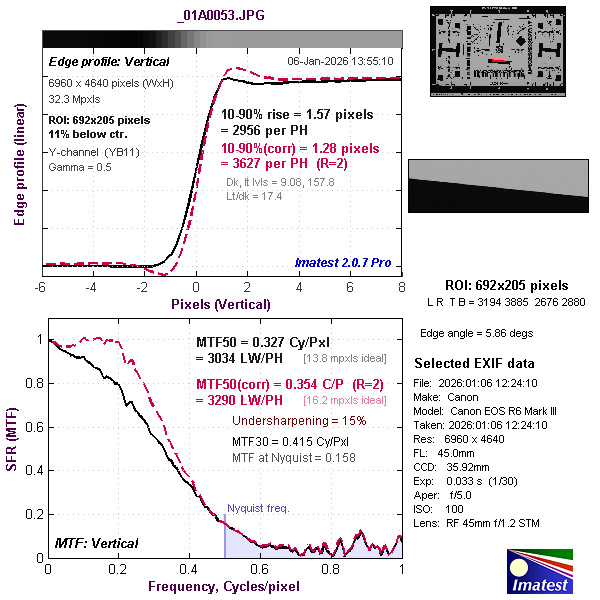
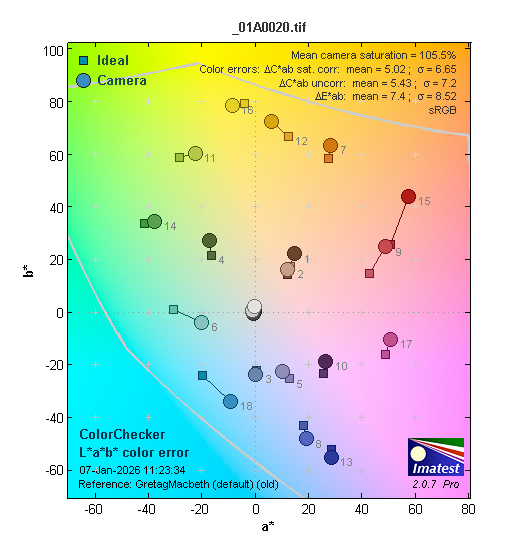
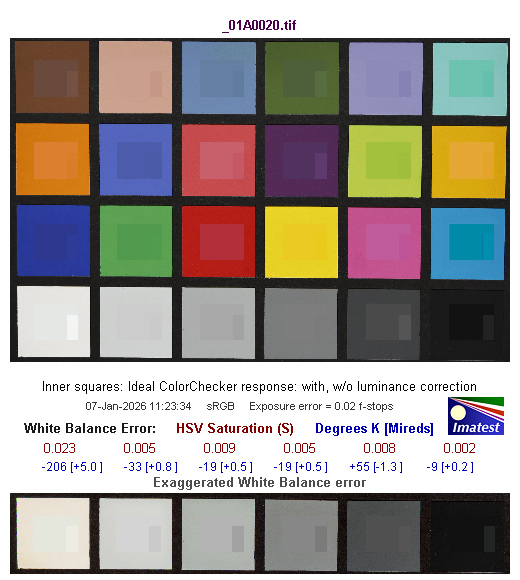
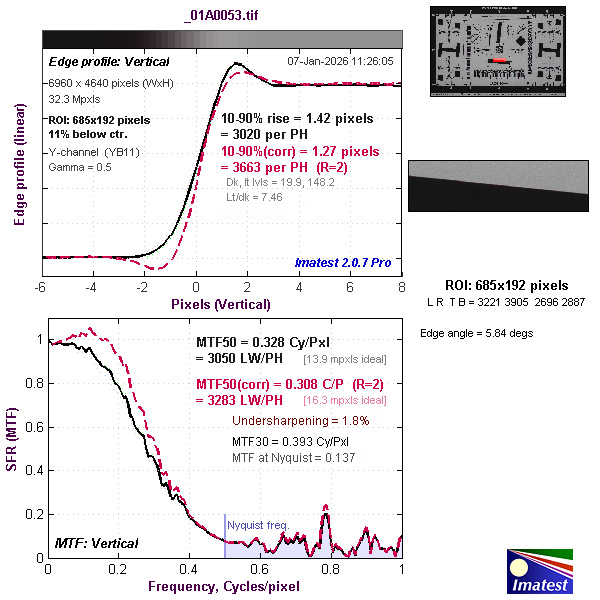
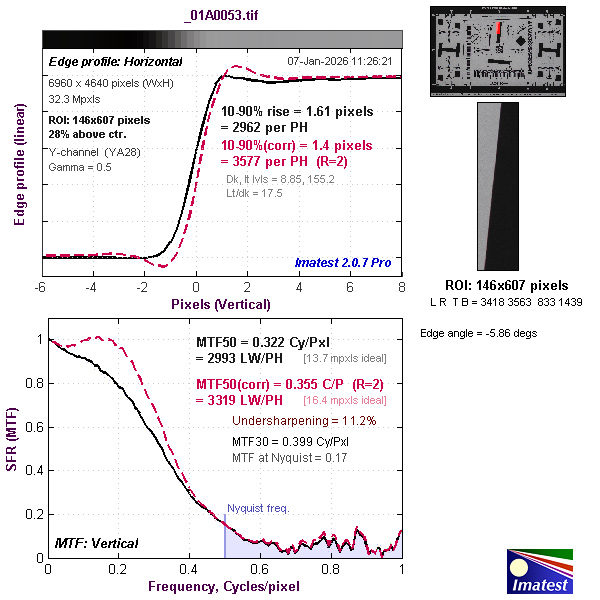
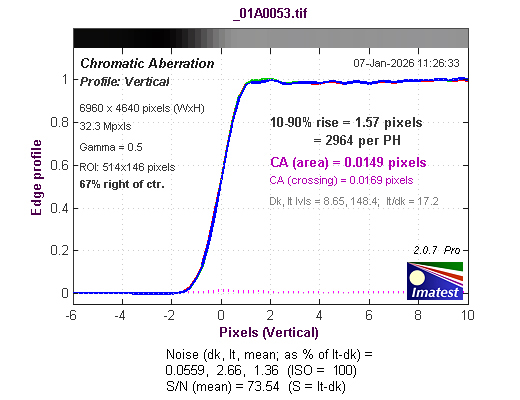
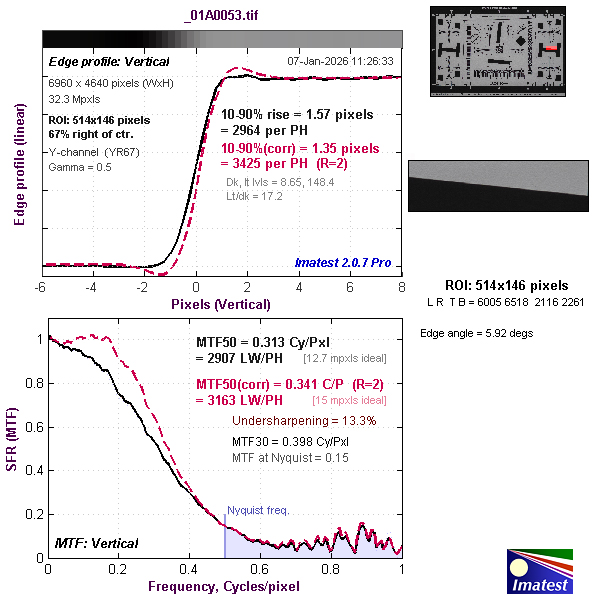
Our Imatest evaluations, which were made with the RF 45mm f/1.2 STM lens, which is not an ideal match since it’s been designed for entry-level full-frame cameras. Fortunately, however, we were able to find some optimal settings where resolution came close to – or in the case of CR3.RAW files, just above – expectations for the camera’s 32.3-megapixel sensor.
As revealed in our tests of the RF 45mm f/1.2 STM lens, edge and corner resolution fell below expectations for aperture settings between f/1.2 and about f/2.8, a span of 1.33 f-stops. We obtained the best results at f/5.0, although centre resolution fell off due to the effects of diffraction. With better-performing lenses it’s pretty safe to assume the EOS R6 III would be capable of delivering impressive results.
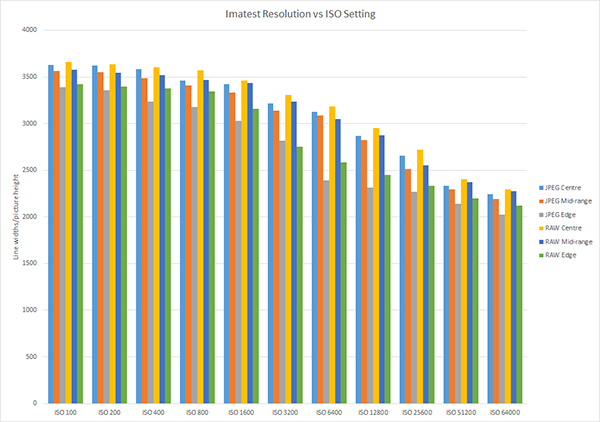
In our tests of the camera’s ISO range, resolution remained relatively high from ISO 100 through to ISO 1600 before tailing off at sensitivity was increased, as the graph of our test results, above, shows. Interestingly, the differences between JPEG and CR3.RAW files (which were converted into 16-bit JPEGs with Adobe Camera Raw, our preferred raw file converter), were relatively small, suggesting in-camera file processing can deliver very good results.
High ISO performance was outstanding and noticeably better than we obtained with the R6 II for both brief and relatively long exposures. Noise was only visible as slight softening, which became visible at ISO 51200 and remained difficult to detect at ISO 64000, the highest sensitivity setting.
We recorded our video tests with the Program Auto shooting mode and sensitivity on the auto setting, aiming to cover a representative selection of the available options. Aside from resolution and frame rates, the rest of the settings were the same as we used for shooting stills.
Video quality was much as we expected, based on our findings with the previous model. The addition of ‘open-gate’ 7K video makes the third-generation R6 more versatile than its predecessor. There appears to be only minimal cropping of the width of the frame in this mode, since our frame grabs were 6912 x 4608 pixels, compared with 6960 x 4640 pixels for uncropped stills frames.
Frame grabs from 4K clips contained plenty of detail with natural-looking tonal reproduction and a decent dynamic range. Even Full HD 1080p frames were surprisingly good and printable at A5 size. No extraneous camera noises were recorded in the soundtracks of video clips.
Our timing tests were carried out with a 128GB Lexar Professional CFexpress card in one media slot and a 32GB SanDisk Extreme Pro SDHC U3 card with a write speed of 300MB/s in the other. The review camera took roughly half a second to power-up ready for shooting, which similar to the EOS R6 II we tested.
Capture lag was negligible regardless of whether the lens was pre-focused. It took an average of 0.4 seconds to process a single JPEG or CR3.RAW file and 0.6 seconds for a RAW+JPEG pair. Shot-to-shot times averaged 0.2 seconds, which is as fast as we could keep pressing the shutter button.
In the high-speed continuous shooting mode with the electronic shutter and Dual Pixel AF disabled, the camera was able to record 215 Large/Fine JPEGs in 5 seconds hesitating. This is close to the specified 40 frames/second. It took 12.2 seconds to clear the buffer memory.
With the mechanical shutter, the camera recorded 117 frames in 10.3 seconds, which is close to the specified 12 fps frame rate. It took approximately three seconds to clear the buffer memory.
For RAW+JPEG file capture with the mechanical shutter, the camera recorded 112 shots in 10.1 seconds, which is almost identical to the rate we recorded for the R6 II and slightly slower than we found with JPEGs. It took 3.4 seconds to process this burst.
With the electronic shutter for high-speed recording of CR3.RAW files, frame rates began to stutter after 3.4 seconds of recording, at which point the camera had captured 154 frames. It took 11.8 seconds to process this burst. This is a significant improvement on the results we obtained from the EOS R6 II we tested.
Conclusion
Login or Register to access the full article.
SPECS
Image sensor: 35.9 x 23.9 mm CMOS sensor with 34.2 million photosites (32.5 megapixels effective)
Image processor: DIGIC X
Lens mount: RF mount
Focal length crop factor: 1x
Image formats: Stills: JPEG (DCF 2.0, Exif 3.0), HEIF (10-bit), CR3.RAW (14-bit), C-RAW, Dual Pixel RAW, RAW+JPEG; Movies: XF-HEVC S / XF-AVC S with support for Canon Cinema Raw, Canon Cinema Raw Light
Audio: MOV: LPCM (2ch 48kHz/24-bit, 96kHz/24-bit) (4ch 48kHz/24-bit, 96kHz/24-bit); MP4: AAC (2ch 48kHz/16-bit)
Image Sizes: Stills (3:2 aspect ratio): 6960 x 4640, 4800 x 3200,3472 x 2320, 2400 x 1600; Movies (PAL system): 7K (6960 x 4640) 50p /25p, 12-bit Raw or 10-bit, H.265; 4K (DCI & UHD) at 100, 50, 25, 24 fps H.265
Aspect ratios: 3:2, 4:3, 16:9, 1:1 plus 1.6x (crop to 4320 x 2880)
Image Stabilisation: Sensor-shift IS that works with lens-based IS systems and is CIPA rated for 8.5 stops of shake compensation
Dust removal: Yes with Dust Delete Data Appending
Shutter (speed range): Electronically-controlled focal-plane shutter (Mechanical shutter 30 to 1/8000 seconds plus Bulb; Electronic shutter to 1/16000 second plus Bulb); flash synch at up to 1/200 second without frame cropping
Exposure Compensation: +/- 3EV in 1/3EV steps (+/-EV for movies)
Exposure bracketing: 3 frames in 1/3, 2/3 or 1 EV steps across +/-3 EV, single/burst
Other bracketing options: Aperture, White Balance, Focus (with in-camera depth compositing supported in JPEG, HEIF, RAW, or C-RAW formats)
Self-timer: 2 or 10 seconds delay plus Custom settings (10 sec. for specified number of frames)
Interval recording: Yes, for time-lapse
Focus system: Dual Pixel CMOS AF II Hybrid Phase Detection AF/Contrast AF system with 4897 points of which 1053 are cross-type; EV -6.5 to 21
AF selection: Zone / 1-Area+ / 1-Area / Pinpoint; Tracking / Full Area AF / Zone (Horizontal/Vertical); Automatic Detection for Human / Animal / Car / Motorcycle (except when Pinpoint is set), Face registration
Focus modes: One-shot, AI Focus (Single) / AFC (Continuous) / MF
Exposure metering: 384-zone (24×16) metering system with Evaluative, partial, spot, centre-weighted metering patterns
Shooting modes: Fv (Flexible-priority AE), P (Program AE), Av (Aperture Priority AE), Tv (Shutter Priority AE), Manual Exposure, Bulb, Slow & Fast, Custom 1, 2, 3, SCN (Special Scene), A+ (Scene Intelligent Auto)
Special Scene modes: Smooth Skin, Group Photo, Landscape, Panoramic Shot, Sports, Kids, Panning, Close-up, Food, Night Portrait, Handheld Night Scene, HDR Backlight Control, Silent Shutter
Other modes: Multiple exposures, HDR Shooting (PQ), Dual Pixel RAW, Open Gate Movie, Anti-Flicker Shooting, HDR/C.Log View Assist, False Colour Settings
Creative Assist effects: Preset, Background Blur, Brightness, Contrast, Saturation, Colour Tone (Amber/Blue and Green/Magenta adjustments), Monochrome
Colour space options: sRGB, and Adobe RGB HDR PQ: BT.2020
ISO range: Auto, ISO 100-64000 (with expansion to ISO 50 and ISO 102400)
White balance: AWB, AWBc, AWBw, Daylight, Cloudy, Shade, Incandescent, Flash, White Set (x 4), Colour temperature setting (x 4)
Flash: External flashguns only
Flash modes: E-TTL II metering, 1st/2nd curtain synch, Slow Synchro, Bracketing across +/- 3EV in 1/3EV steps
Flash exposure adjustment: +/- 3EV in 1/3EV steps
Sequence shooting: Max. 40 fps (electronic shutter), 12 fps (mechanical shutter)
Pre-shot recording: Supported; max. recording time 1/2 second
Buffer capacity: CFexpress card – more than 1000 Large/Fine JPEGs or RAW files; SD card – more than 1000 Large/Fine JPEGs or up to 400 RAW files with mechanical shutter; Max. 330 JPEGs or 150 RAW files with electronic shutter
Storage Media: Dual slots for CFexpress Type B and SD, SDHC or SDXC cards (UHS-II compatible)
Viewfinder: 0.5-inch EVF with 3,690,000 dots, 23 mm eyepoint, 0.76x magnification, 120 fps refresh rate, -4 to +2 dpt adjustment
LCD monitor: 3-inch Vari-angle TFT LCD capacitive touch-screen with 1,620,000 dots, 100% coverage, Approx. 170° viewing angle vertically and horizontally, Anti-smudge coating
Weather sealing: Environmentally sealed
Interface terminals: USB Type-C (10Gbps), HDMI Type A, 3.5 mm terminals for microphone and headphones, E3 type remote terminal
Wi-Fi function: Built-in Wi-Fi (IEEE 802.11ac/n/a/g/b; Bluetooth v5.1 (Bluetooth Low Energy)
Power supply: LP-E6P rechargeable Li-ion battery; CIPA rated for approx. 620 shots/charge with monitor, 390 shots/charge with EVF in power-saving mode
Dimensions (wxhxd): 138.4 x 98.4 x 88.4 mm
Weight: Approx. 699 grams with battery and cards
Distributor: Canon Australia
TESTS
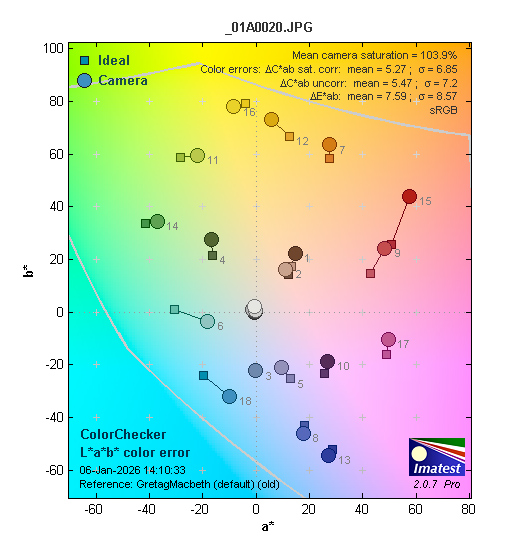
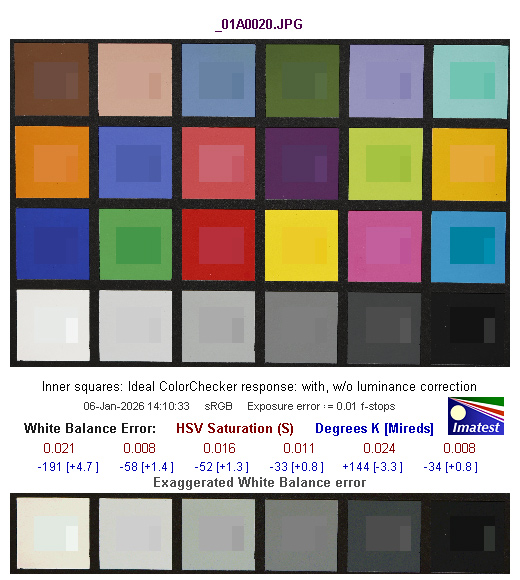
Based on JPEG images recorded with the RF 45mm f/1.2 STM lens.
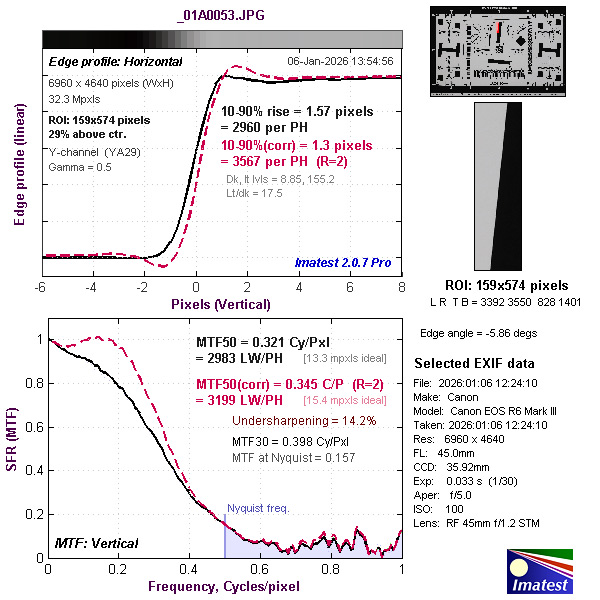
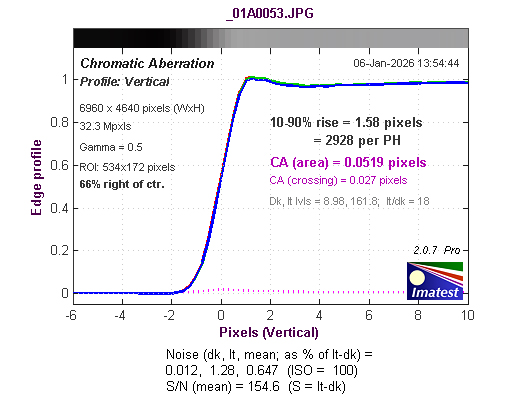
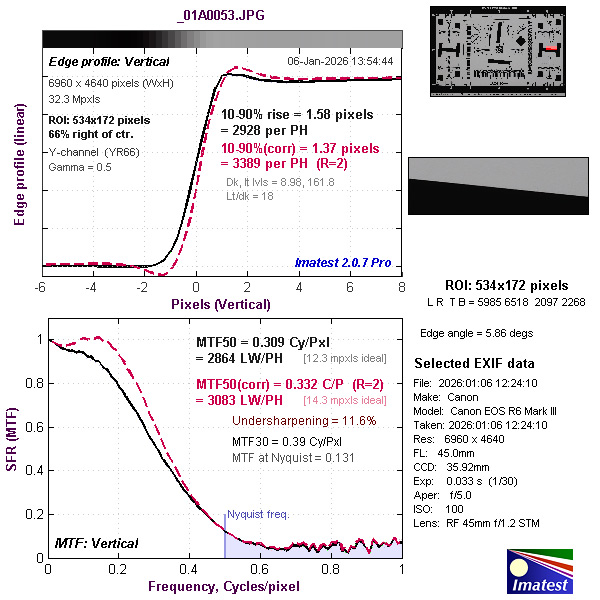
Based on CR3.RAW files recorded simultaneously and converted into 16-bit TIFF format with Adobe Camera Raw.
SAMPLES
All images and video captured with the RF 45mm f/1.2 STM lens.
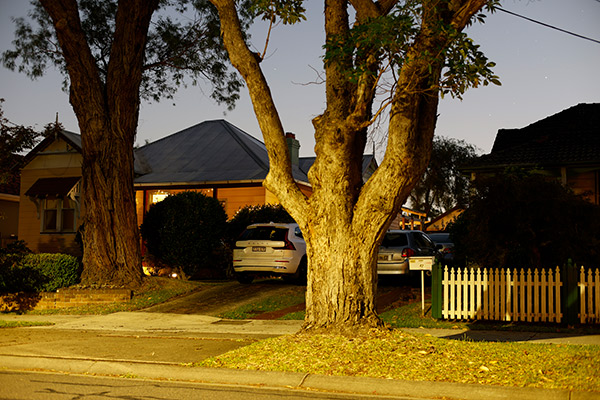
ISO 100, 30-second exposure at f/2.8.
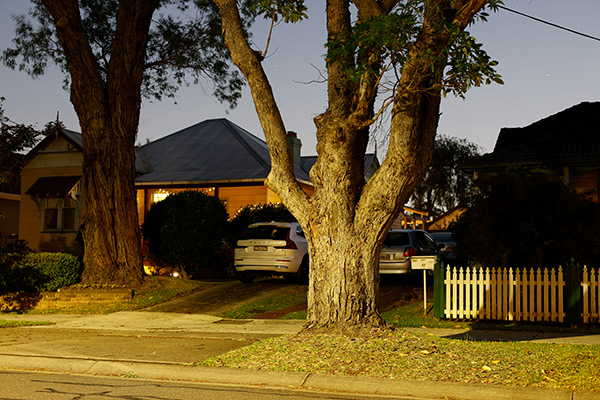
ISO 800, 10-second exposure at f/4.5.
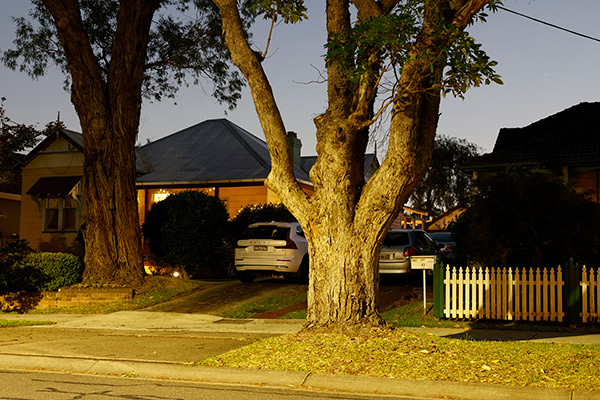
ISO 3200, 6-second exposure at f/7.1.
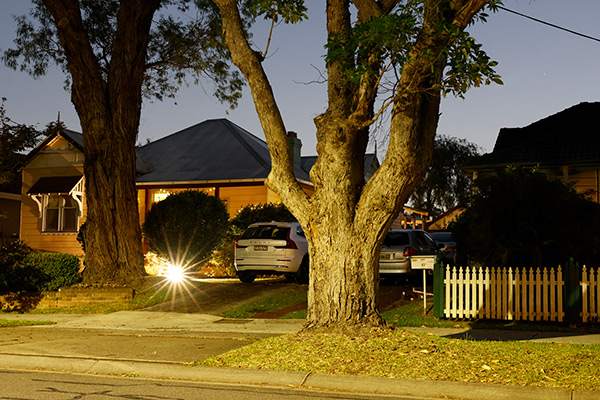
ISO 6400, 4-second exposure at f/8. Note the starburst caused by a light turning on during the exposure.
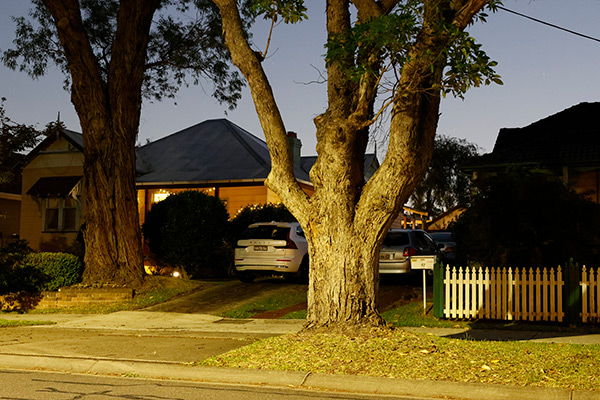
ISO 12800, 4-second exposure at f/11.
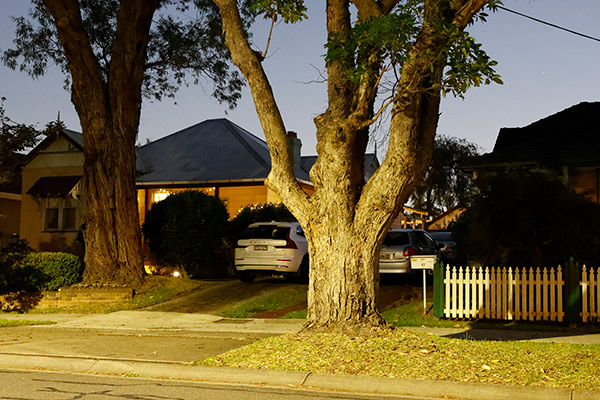
ISO 25600, 2-second exposure at f/10.
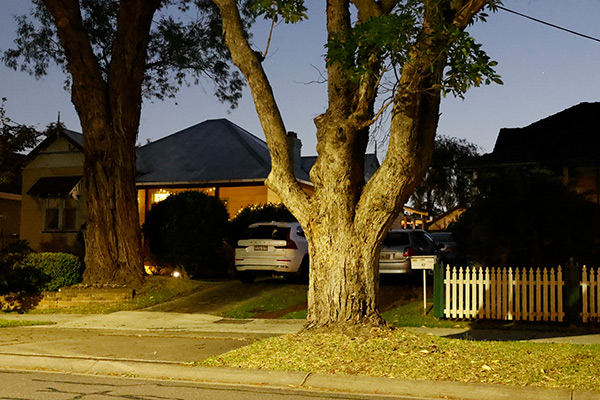
ISO 51200, 1-second exposure at f/11.
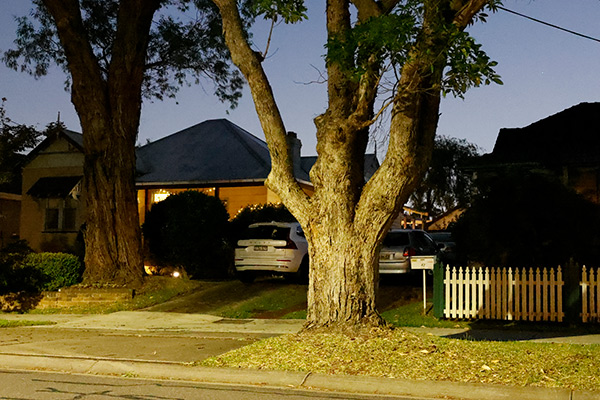
ISO 64000, 0.8-second exposure at f/11.
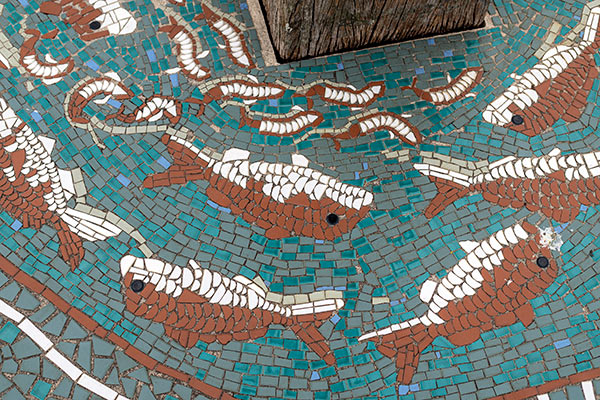
Close-up; ISO 100, 1/160 second at f/4.5.
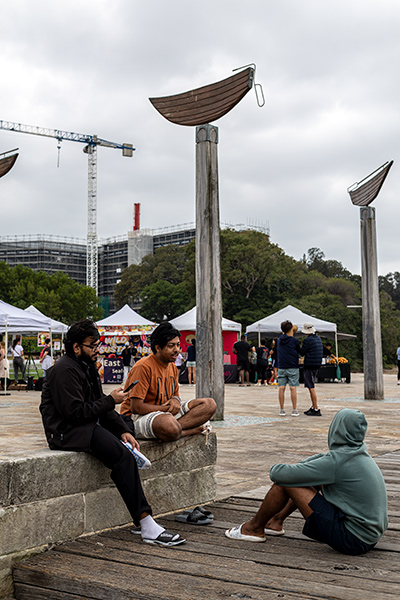
ISO 100, 1/125 second at f/5.6.

ISO 100, 1/60 second at f/5.
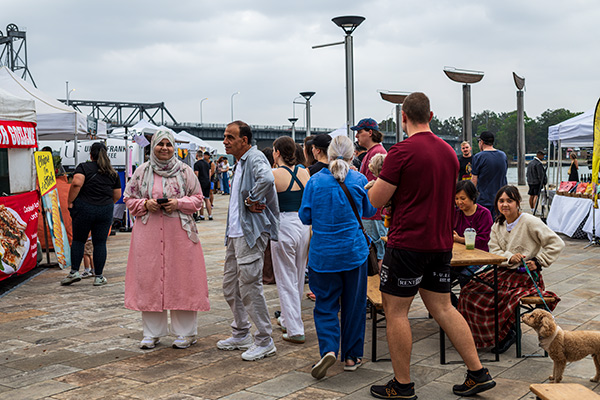
ISO 100, 1/200 second at f/5.
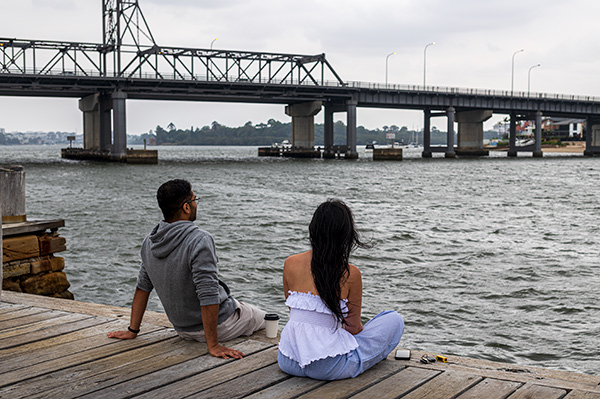
ISO 100, 1/160 second at f/5.6.
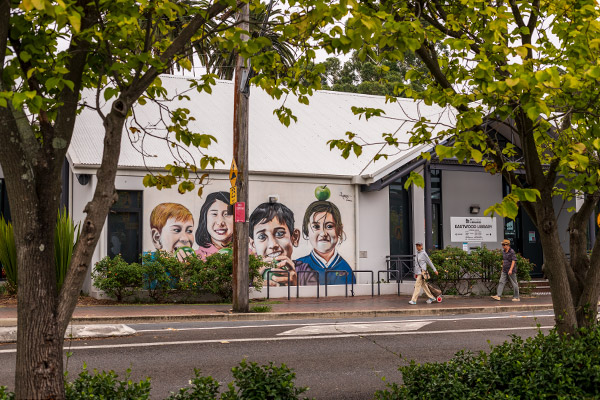
ISO 100, 1/125 second at f/5.6.
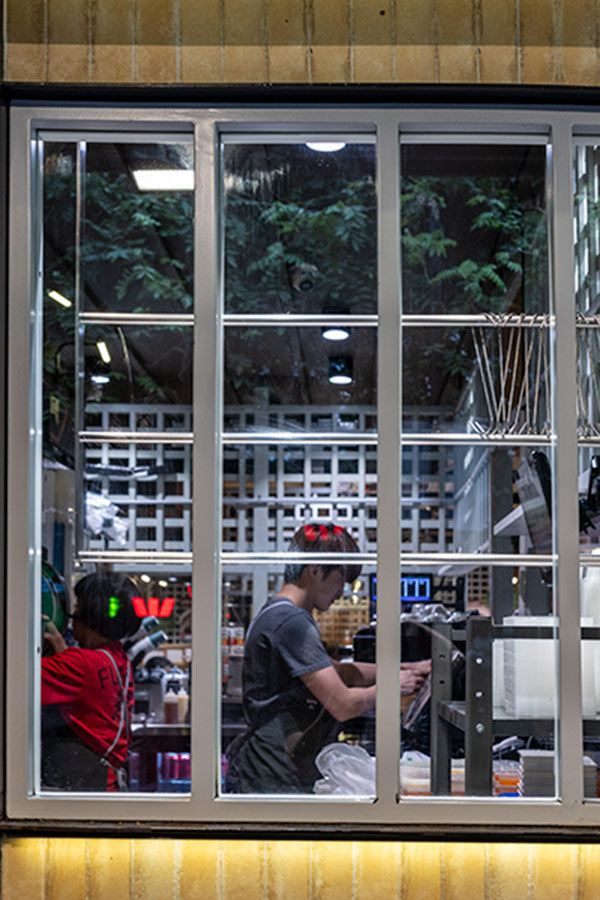
ISO 800, 1/60 second at f/5.6.
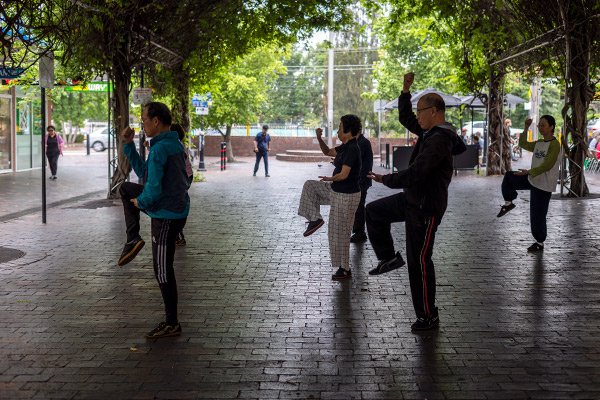
Strong backlighting; ISO 200, 1/50 second at f/2.8. (From CR3.RAW file.)
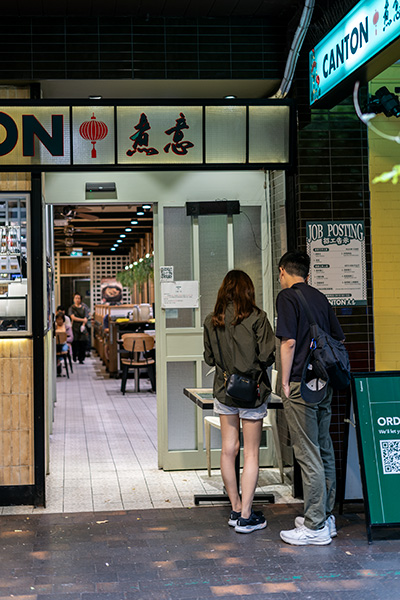
ISO 200, 1/30 second at f/4.5.
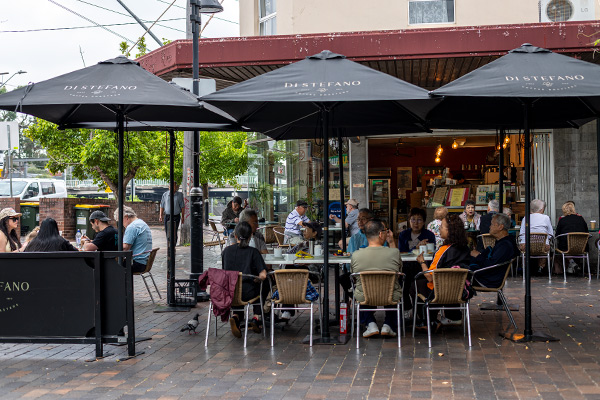
ISO 125, 1/100 second at f/3.2.
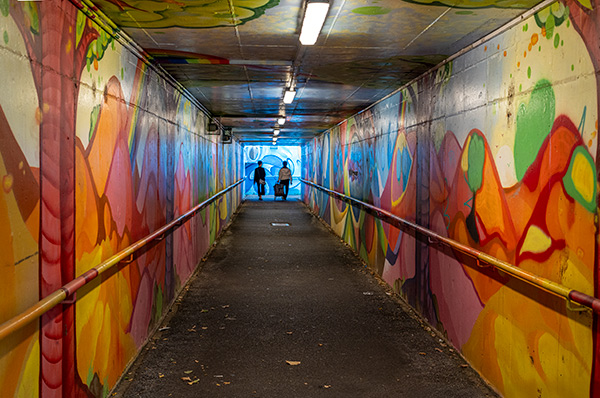
ISO 1600, 1/80 second at f/5.6. (From CR3.RAW file.)
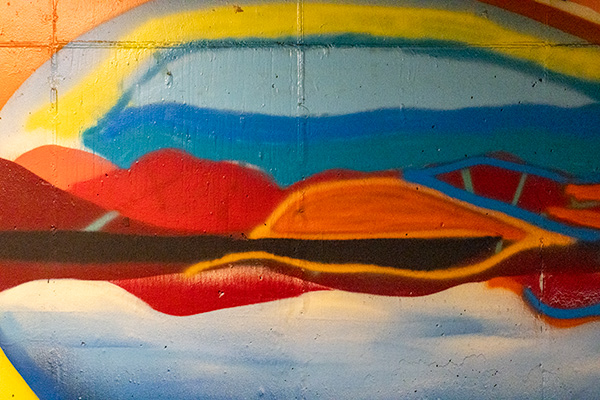
ISO 25600, 1/800 second at f/5.
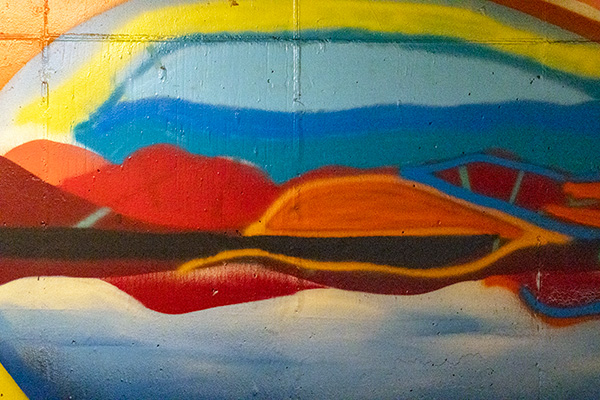
ISO 51200, 1/1600 second at f/5.
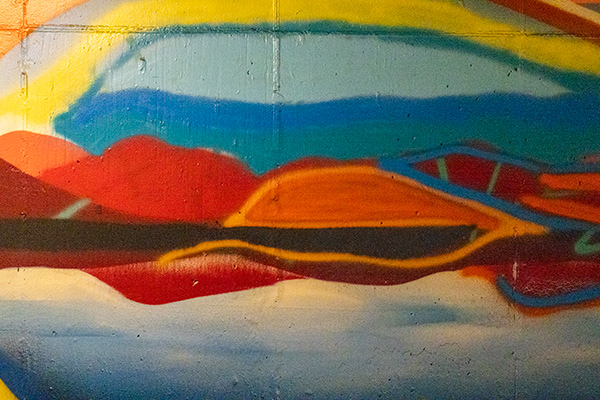
ISO 64000, 1/2000 second at f/5.
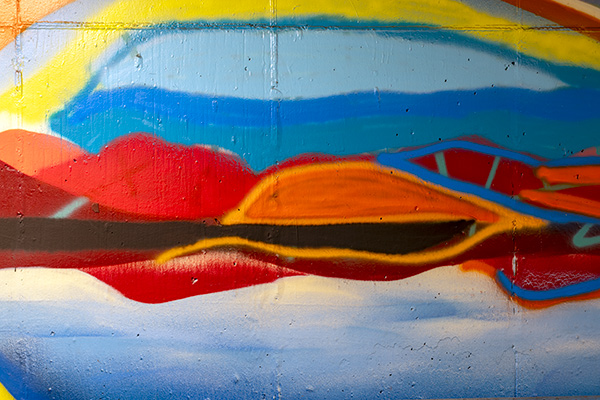
Stabilisation test; ISO 100, 1/2 second at f/7.1.
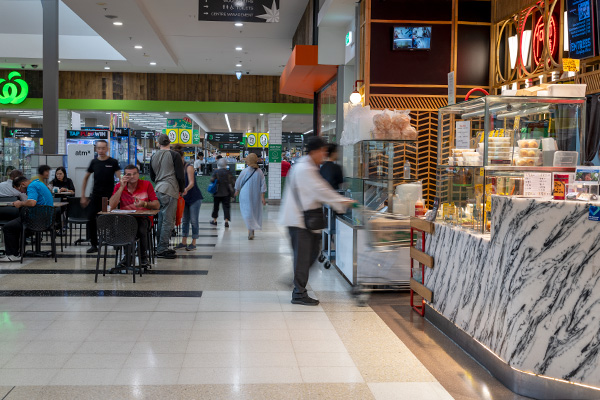
ISO 200, 1/4 second at f/8.
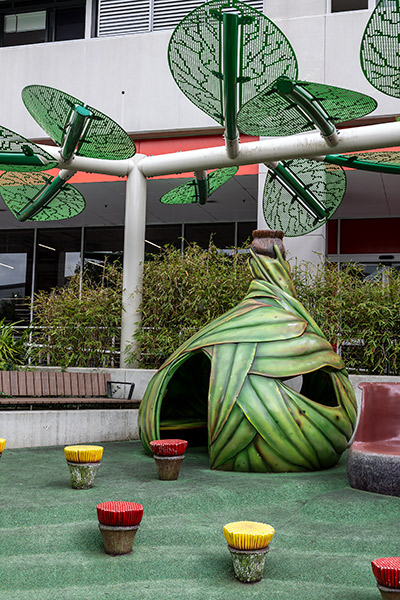
ISO 100, 1/60 second at f/7.1.
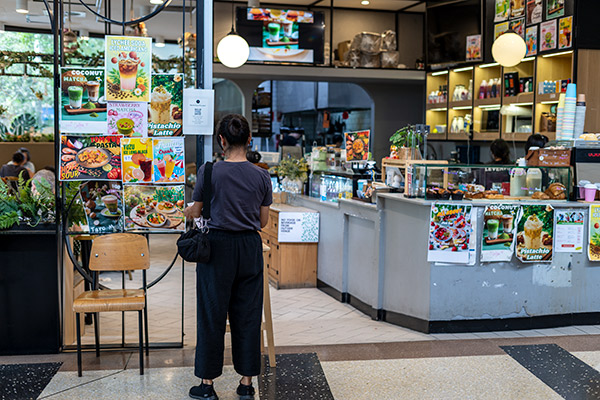
ISO 200, 1/60 second at f/2.5.
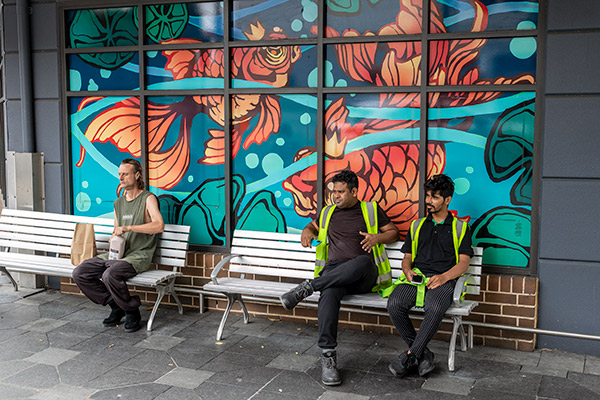
ISO 320, 1/30 second at f/5.6.
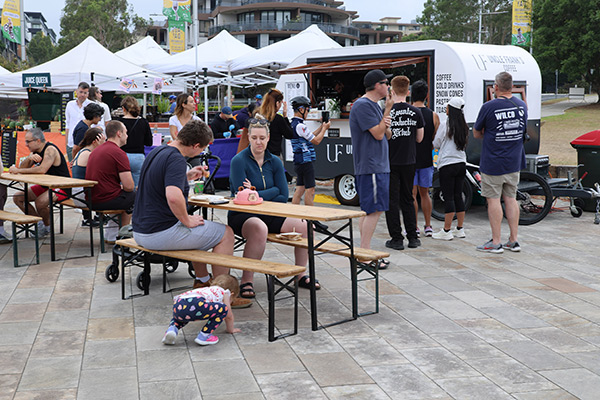
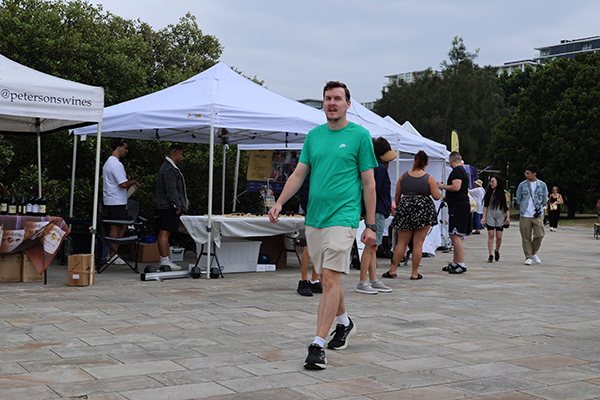
Still frame from open gate 7K 25p video clip recorded in XF-HEVC S YCC422 10-bit format with LGOP compression.
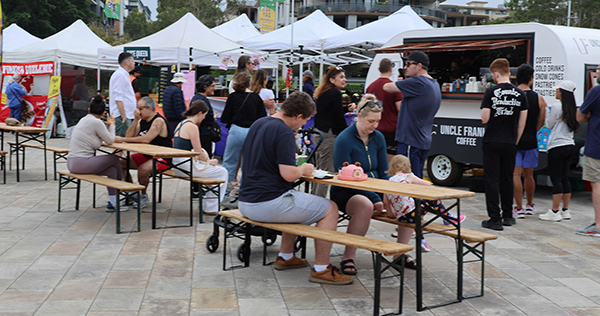
Still frame from open gate 7K 25p video clip recorded in XF-HEVC S YCC420 10-bit format with LGOP compression.
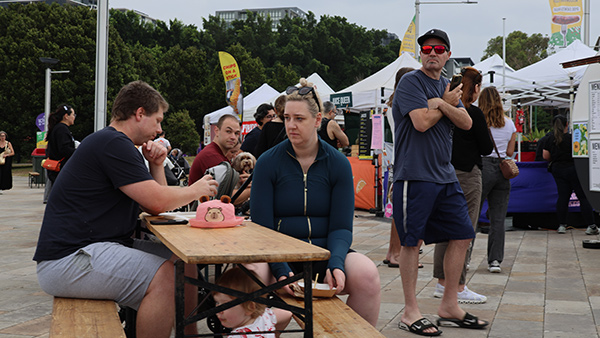
Still frame from C4K 4096 x 2160 50p, 10-bit, H.265 video clip.
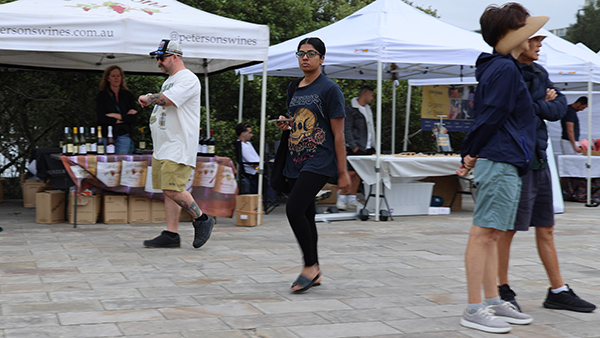
Still frame from UHD 4K 50p 10-bit, H.265 video clip.
Still frame from UHD 4K 25p 10-bit, H.265 video clip.
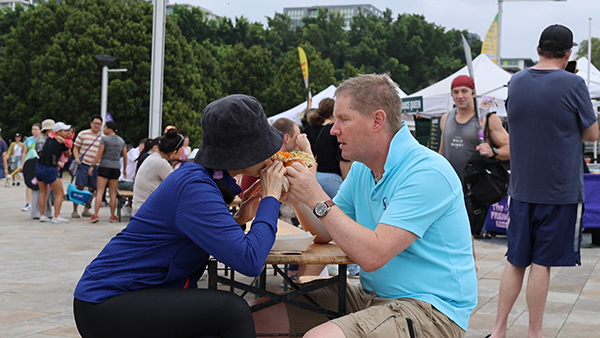
Still frame from FHD 2K 50p video clip.
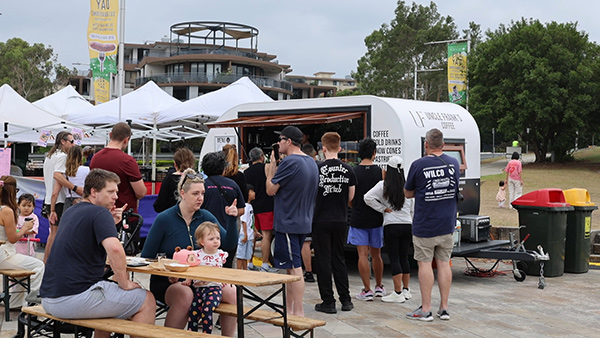
Still frame from FHD 2K 25p video clip.
Additional image samples can be found with our review of the RF 45mm f/1.2 STM lens.
Rating
RRP: AU$4,299 (body only); $6,149 (with RF 24-105mm f/4L IS kit lens)
- Build: 8.9
- Features: 9.2
- Ease of use: 8.8
- Autofocusing: 9.0
- Still image quality JPEG: 8.9
- Still image quality RAW: 8.9
- Video quality: 9.0
BUY